To Do List
تفاصيل العمل
# To-Do List App
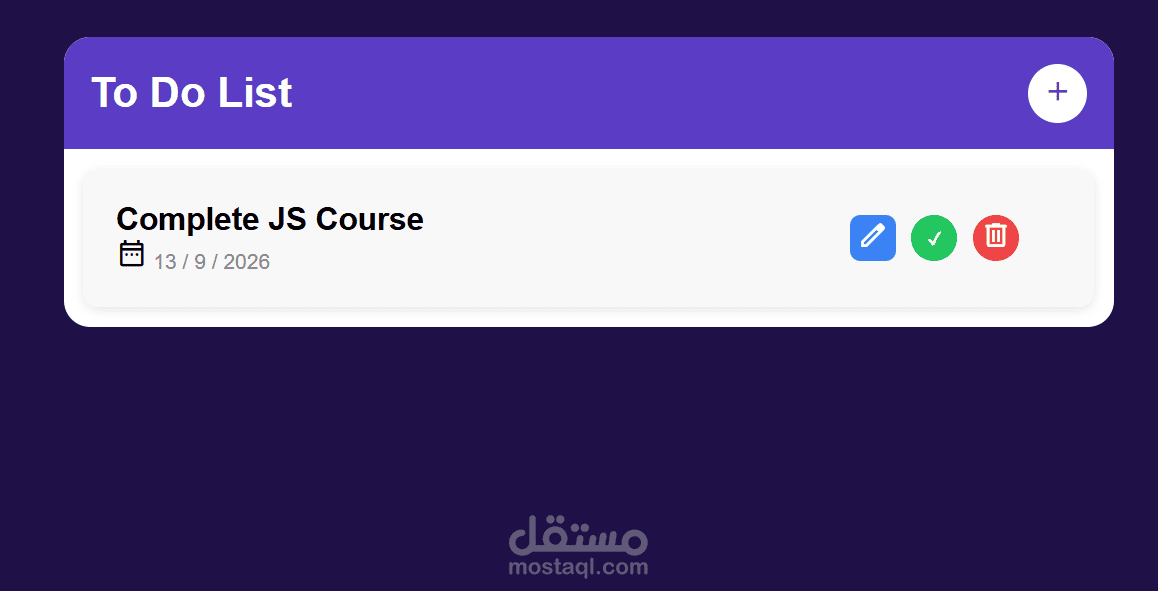
A simple, browser-based to-do list application built with vanilla HTML, CSS, and JavaScript. Tasks are stored as objects and persisted in the browser using `localStorage`, so your list stays intact even after refreshing or closing the page.
## Features
- Add new tasks
- Mark tasks as complete / incomplete
- Delete tasks
- Data persistence with `localStorage` (tasks survive page reloads)
- Dynamic DOM rendering — the UI updates instantly without reloading the page
## Tech Stack
- **HTML** – page structure
- **CSS** – styling and layout
- **JavaScript (Vanilla)** – application logic
- DOM manipulation for rendering tasks
- JavaScript objects to represent each task (e.g. `{ id, text, completed }`)
- `localStorage` for saving and loading tasks between sessions
## How It Works
1. Each task is represented as a JavaScript object containing its text, completion status, and a unique ID.
2. Tasks are stored in an array, which is converted to a JSON string and saved in `localStorage` whenever the list changes.
3. On page load, the app reads the saved data from `localStorage`, parses it back into objects, and renders the tasks to the DOM.
4. All UI updates (adding, completing, deleting) are handled by re-rendering the task list from the underlying array — no page reloads required.
## Project Structure
```
├── index.html # Main page structure
├── style.css # Styling
└── script.js # App logic (DOM manipulation, localStorage, task objects)
```
## Getting Started
1. Clone or download this repository.
2. Open `index.html` in your browser.
3. Start adding tasks — no build tools or dependencies required.
## Notes
- User input is sanitized before being rendered to the DOM to prevent XSS vulnerabilities.
- Built as a hands-on exercise to practice core JavaScript concepts: DOM manipulation, objects, and browser storage.
## Author
Kirolos Emad