erd system
تفاصيل العمل
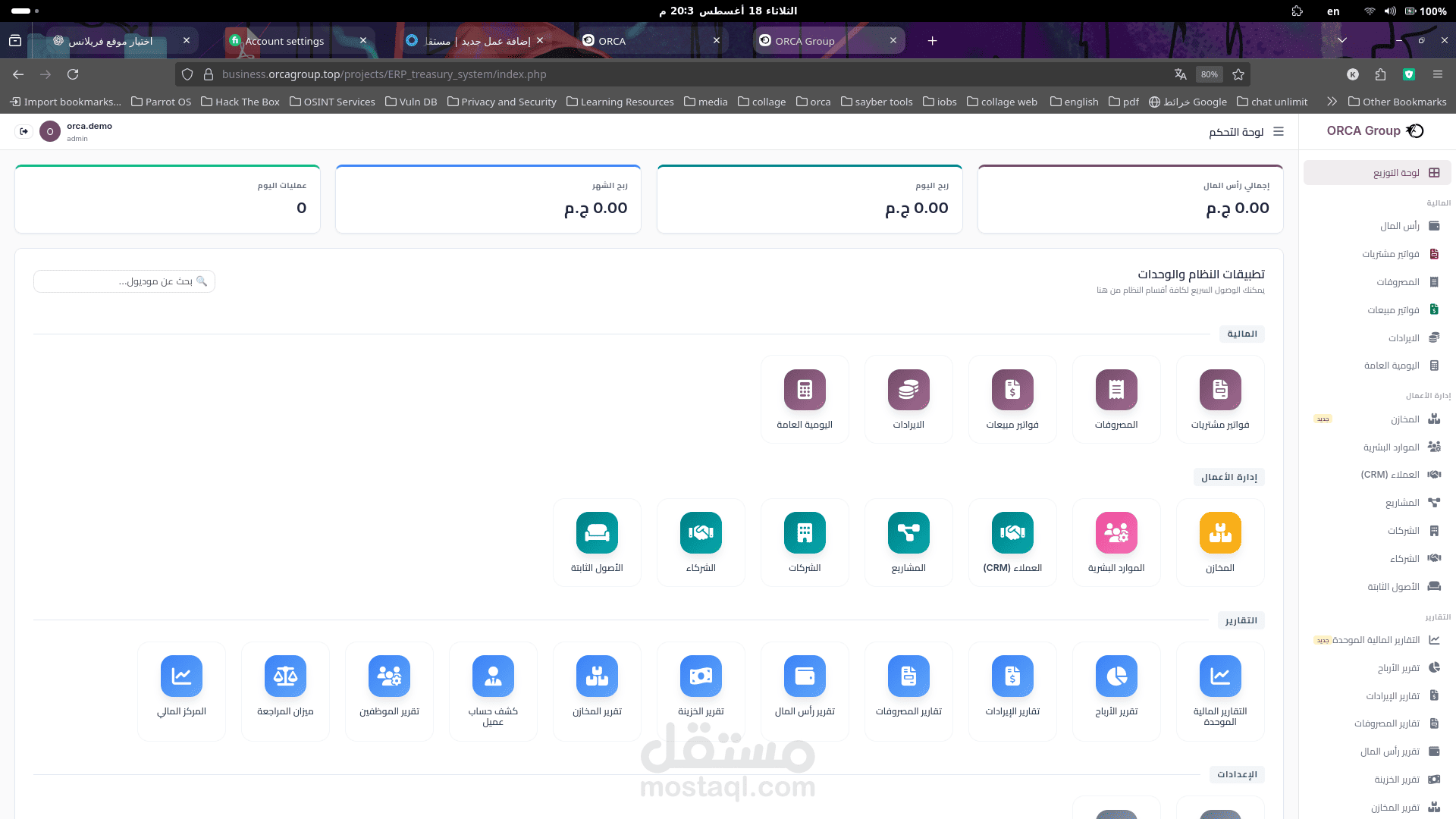
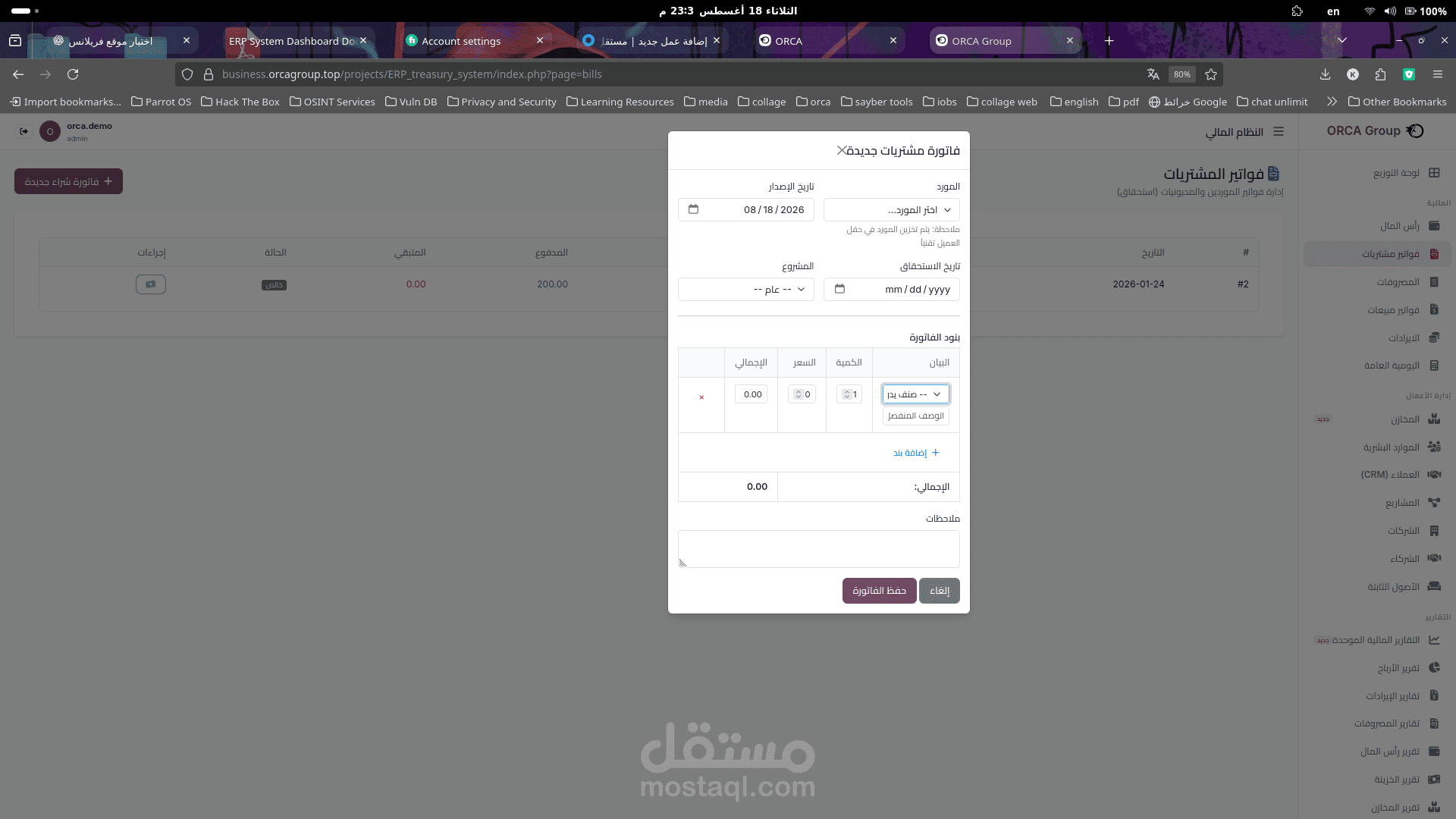
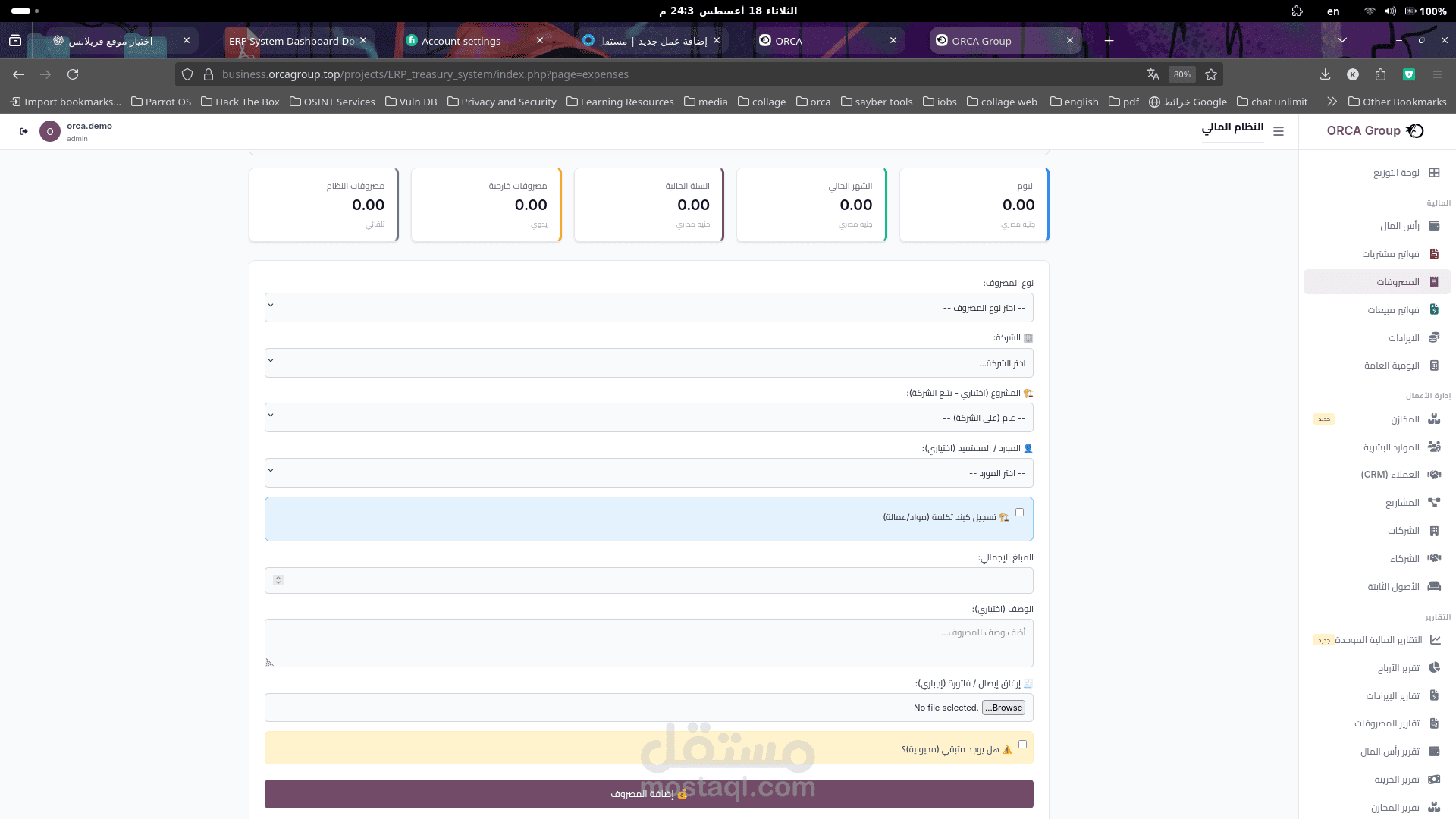
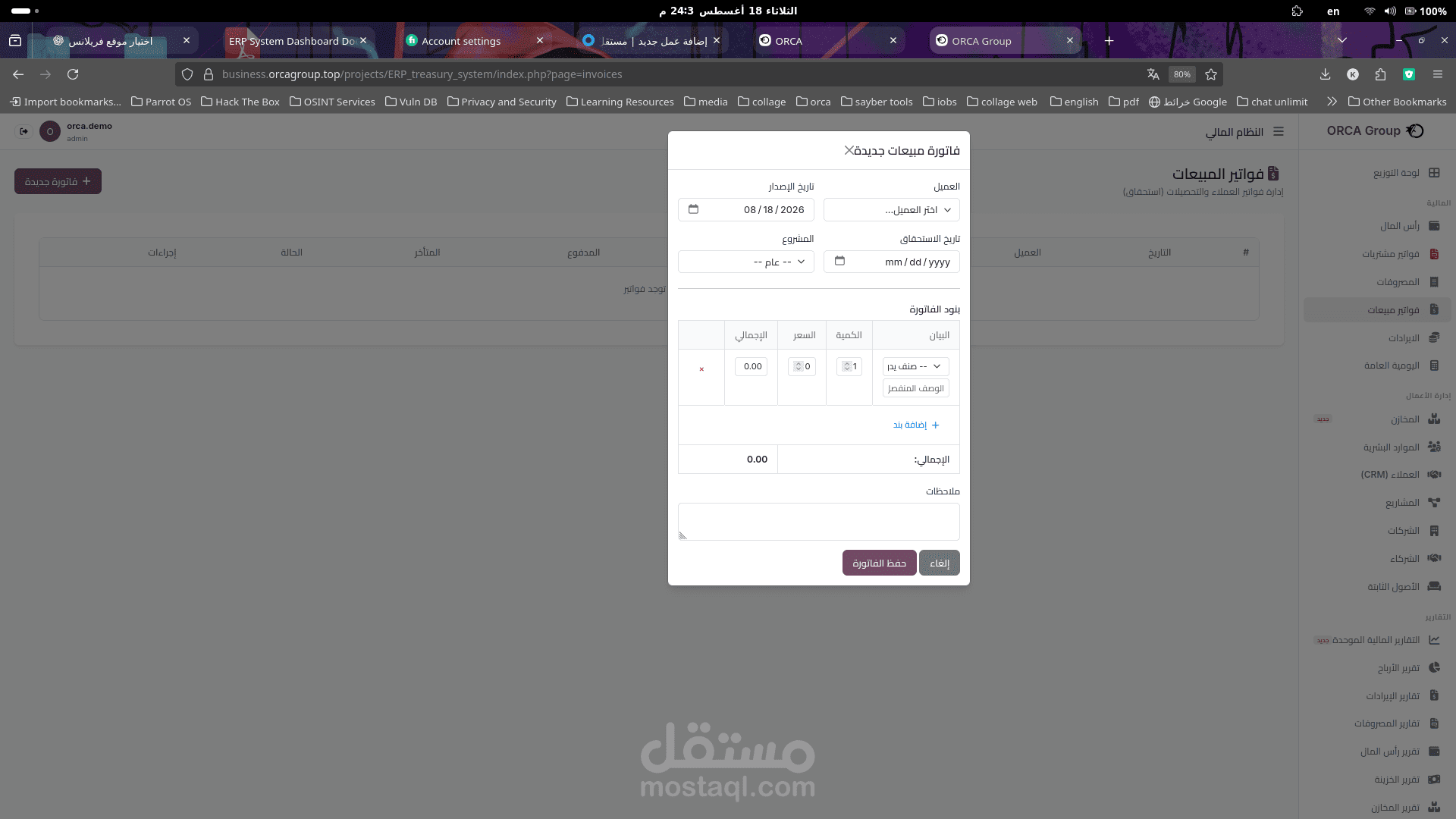
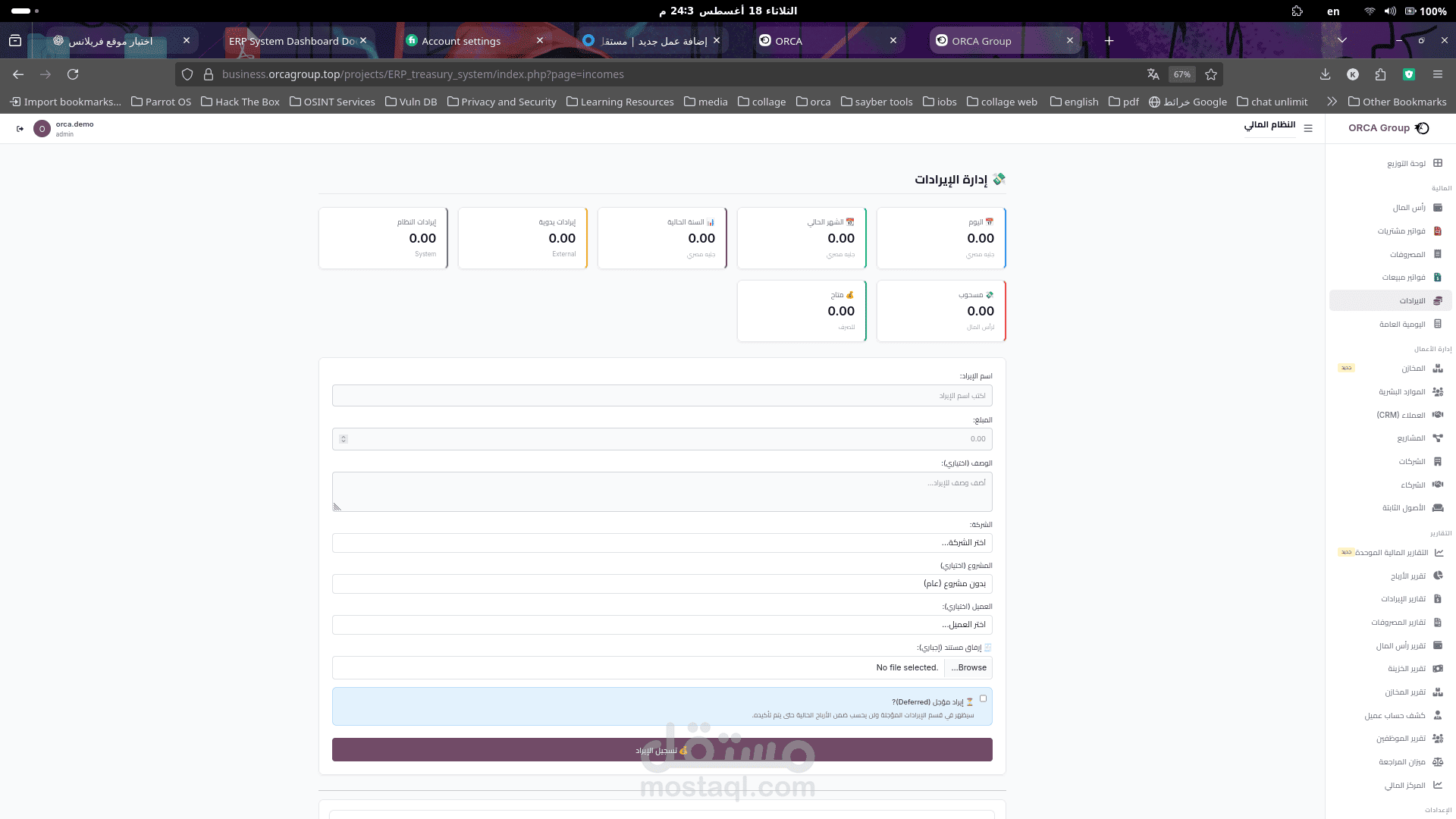
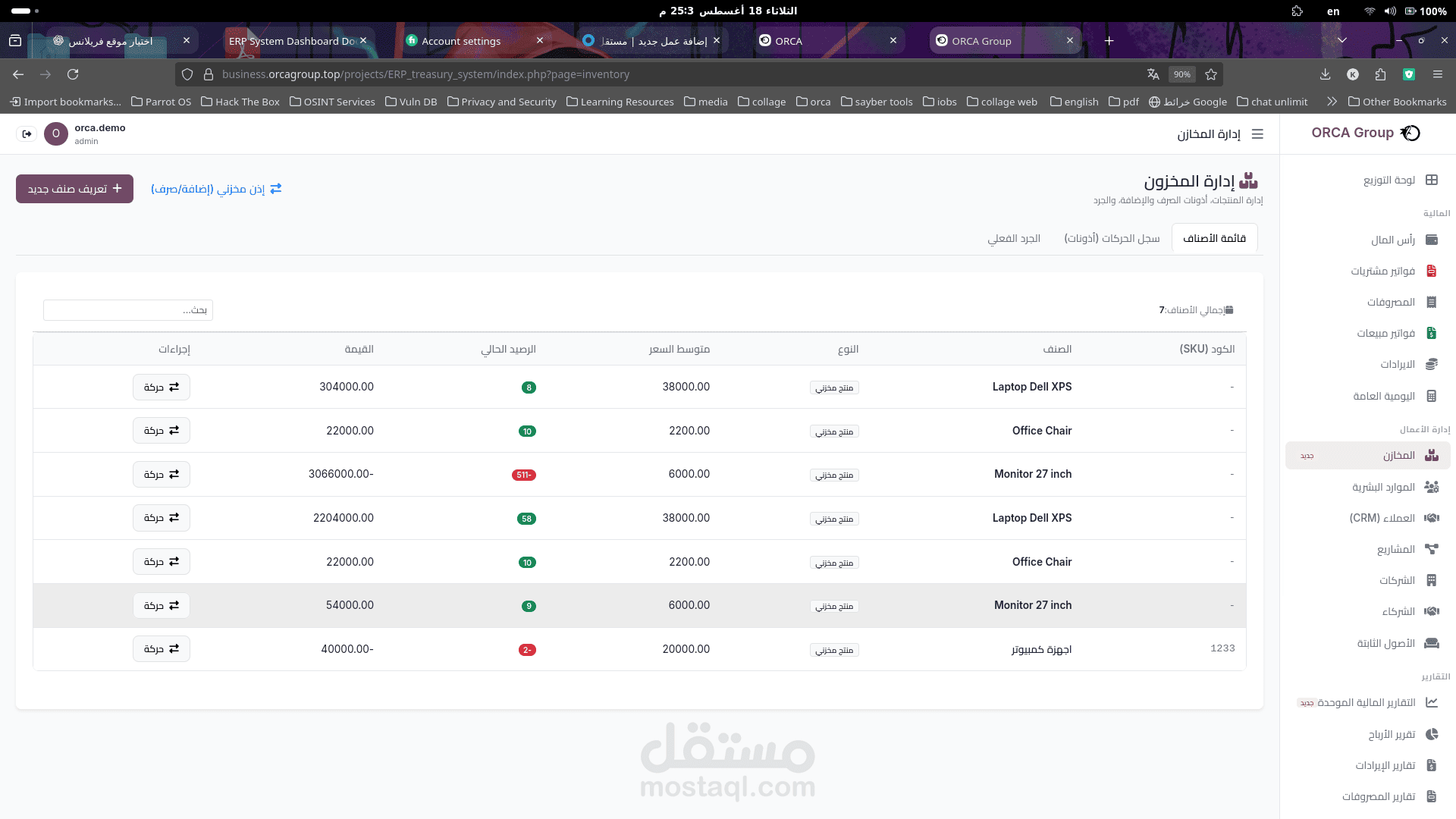
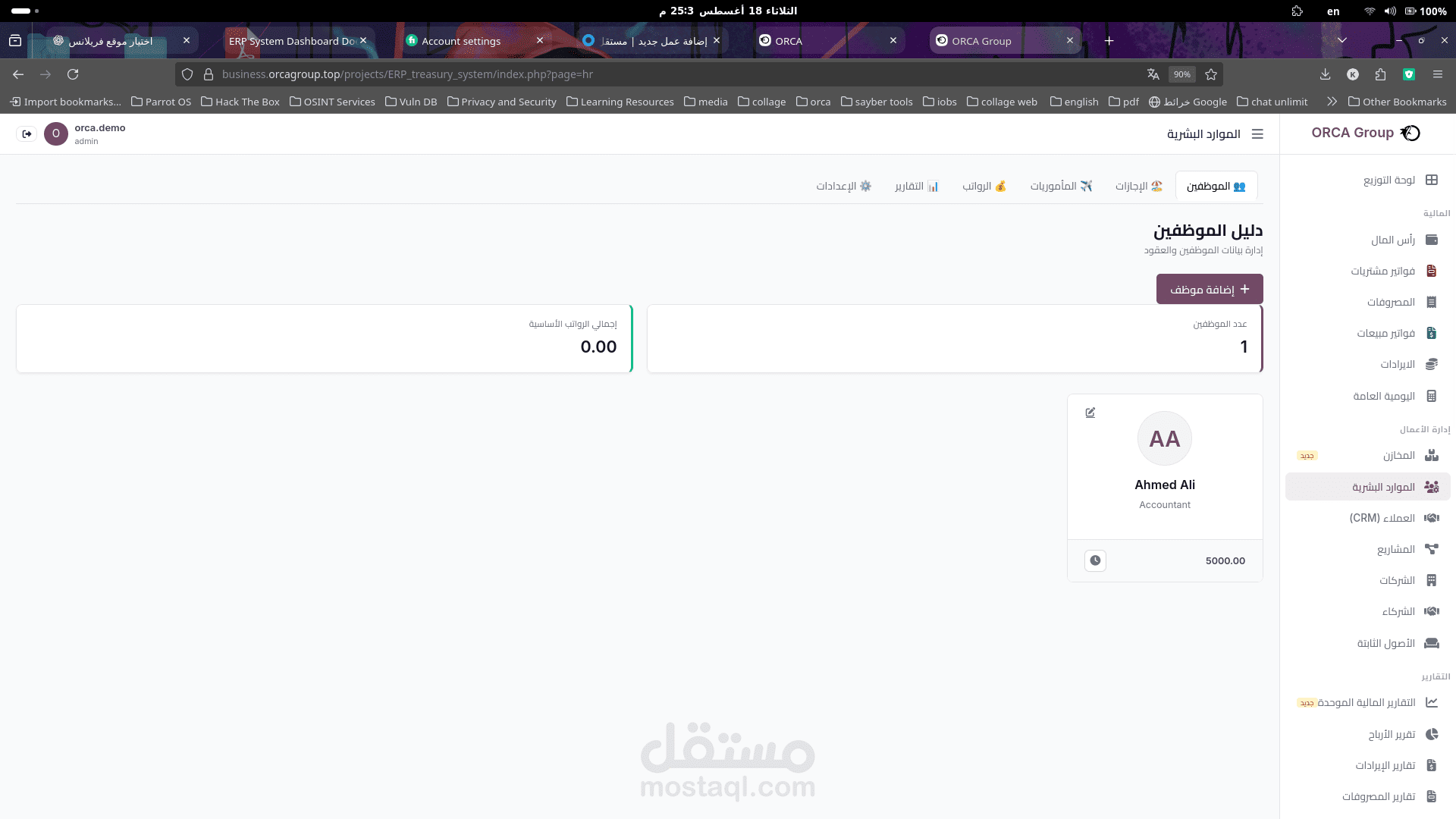
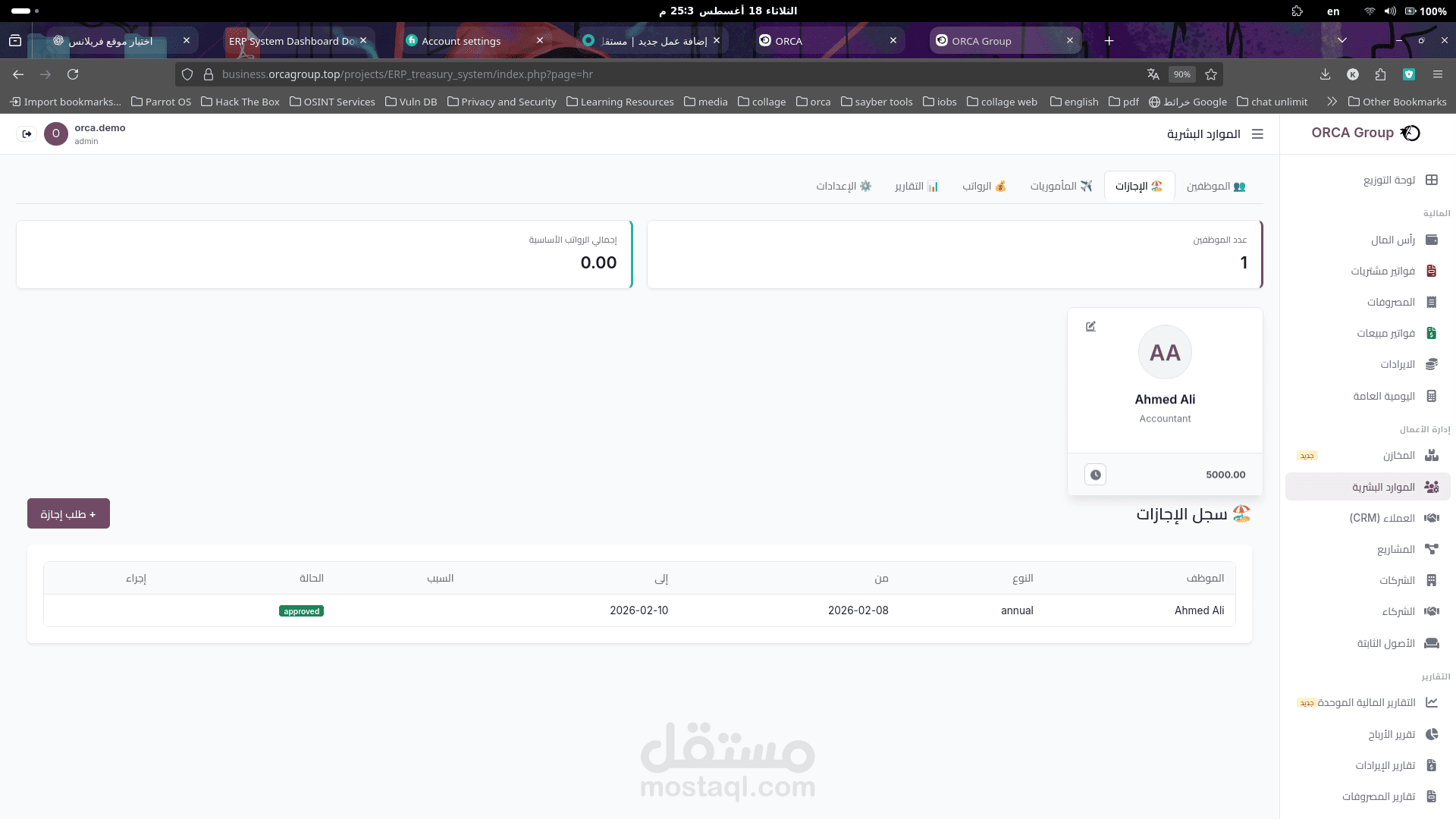
ERP System Dashboard
The ERP System Dashboard is the main control interface of the ORCA Group Enterprise Resource Planning
(ERP) system. It provides centralized access to the organization's financial, administrative, operational, and
reporting modules.
The dashboard is designed to provide users with a quick overview of key financial indicators while allowing
direct access to the different system modules.
1. Dashboard Header
The header contains the main system controls and user information.
User Account
The upper-left section displays the currently logged-in user and account information.
Dashboard Title
The upper-right section displays the Dashboard title and provides access to the main navigation menu.
Company Identity
The ORCA Group logo and company name are displayed in the upper-right area to identify the organization
using the ERP system.
2. Financial Summary Cards
The top section of the dashboard provides a quick summary of important financial information.
Total Capital
Displays the organization's current total capital.
Today's Revenue
Shows the total revenue generated during the current day.
Monthly Revenue
Displays the total revenue generated during the current month.
1
Today's Transactions
Shows the number of financial transactions processed during the current day.
These summary cards allow management users to quickly review the current financial status without
opening individual modules.
3. Applications and Modules
The Applications and Modules section provides shortcuts to the main ERP system components.
The modules are organized into functional categories to make navigation easier.
Financial Modules
The Financial section includes:
Purchase Invoices: Manage and record invoices related to purchases.
Expenses: Record and manage company expenses.
Sales Invoices: Manage customer sales invoices and sales transactions.
Revenue: Track and manage incoming financial transactions.
General Journal: Manage general accounting journal entries.
Capital: Manage and track the organization's capital.
These modules provide the core functionality required for financial and accounting operations.
4. Business Management
The Business Management section contains modules responsible for managing the organization's
operational activities.
Warehouses
Provides functionality for managing warehouse information and inventory-related operations.
Customers (CRM)
Manages customer information and customer relationship data.
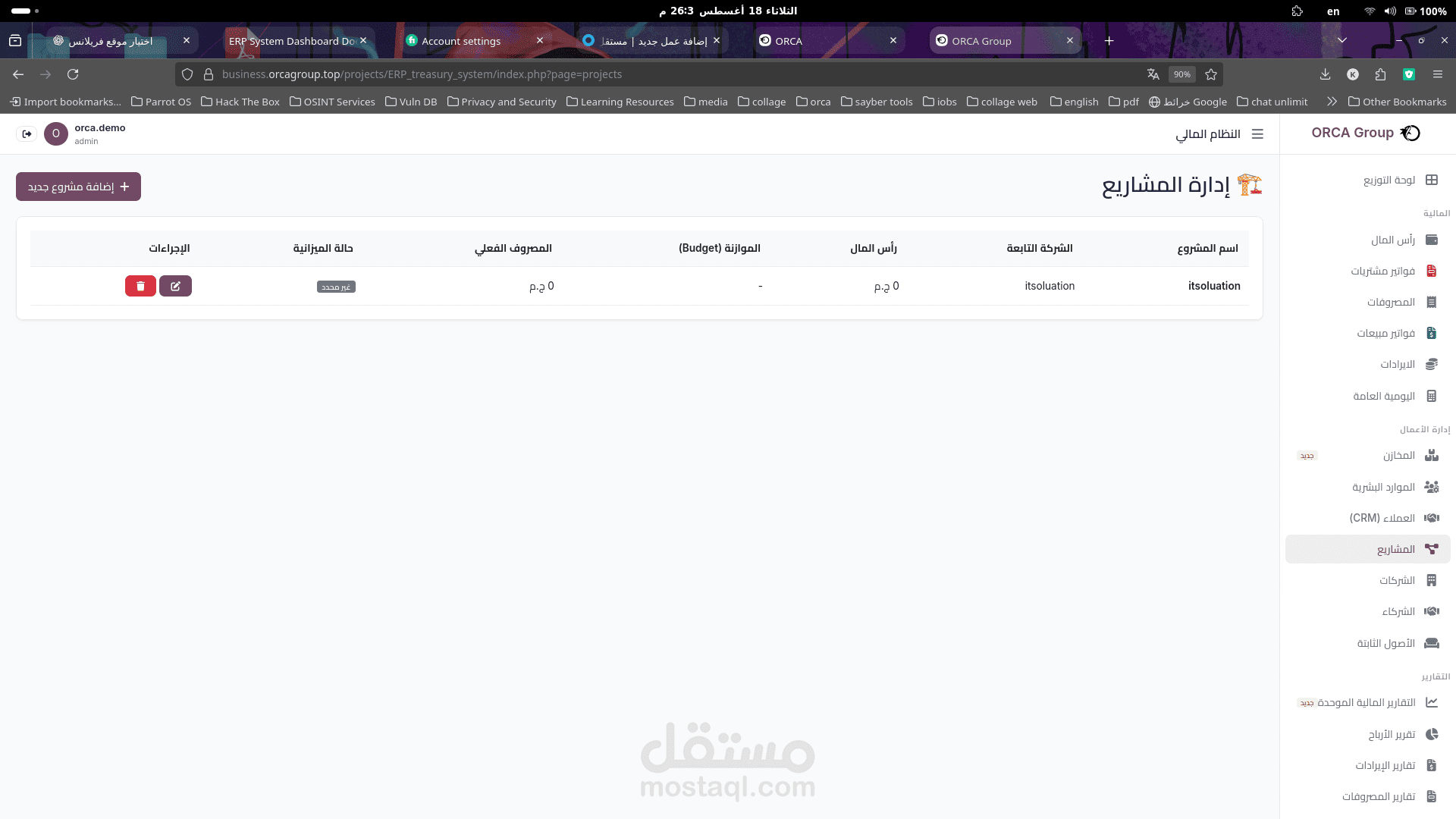
Projects
Provides access to project management and project-related financial information.
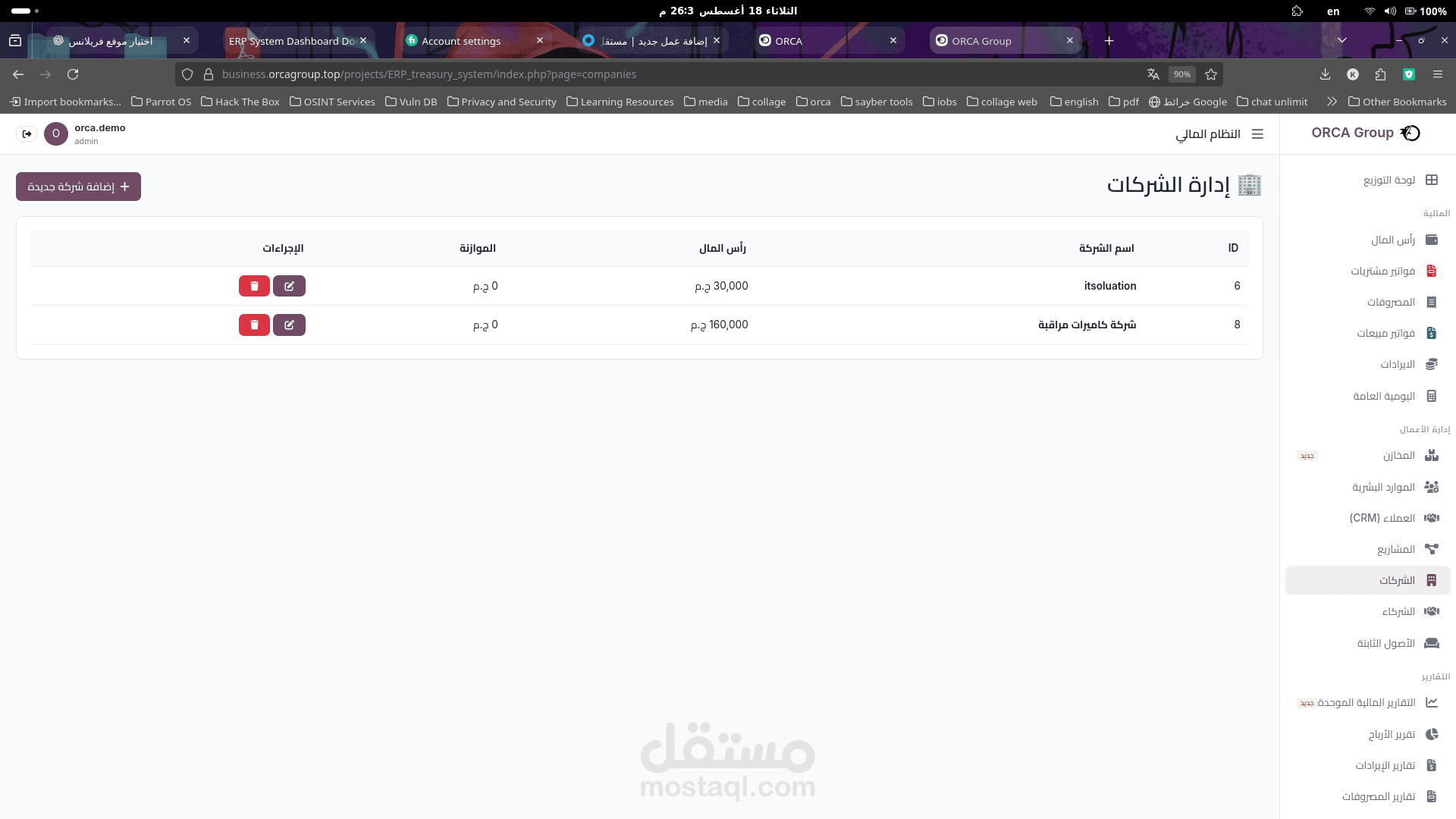
Companies
Allows users to manage company records within the ERP system.
Partners
Provides functionality for managing business partners and related information.
Fixed Assets
Allows the organization to manage fixed assets and maintain information about company-owned assets.
Human Resources
Provides access to employee-related information and HR management functions.
5. Reports
The Reports section provides analytical and financial reports generated from the information stored in the
ERP system.
Available reports include:
Unified Financial Reports
Profit Reports
Revenue Reports
Expense Reports
Financial Position Reports
Cash Flow Reports
Warehouse Reports
Inventory Reports
Employee Reports
Client Account Statements
Management Review Reports
Financial Center Reports
These reports help management analyze financial performance, monitor operations, and support business
decision-making.
6. Sidebar Navigation
The right-side navigation panel provides access to the complete ERP system structure.
The sidebar is organized into several categories:
Finance
Contains financial and accounting modules such as:
Capital
Purchase Invoices
Expenses
Sales Invoices
Revenue
General Journal
Business Management
Contains operational modules such as:
Warehouses
Customers (CRM)
Projects
Companies
Partners
Fixed Assets
Human Resources
Reports
Provides access to the different financial, operational, and management reports available in the system.
Settings
Provides access to system configuration and administrative settings.
The sidebar allows users to navigate between modules without returning to the main dashboard.
7. Search Function
The dashboard provides a search field that allows users to quickly search for available modules.
This feature improves navigation efficiency, especially when the ERP system contains a large number of
applications and reports.
8. Dashboard Design
The ERP dashboard uses a modular and card-based interface to organize system functionality.
Design Characteristics
Clean and structured layout.
Responsive dashboard cards.
Categorized application modules.
Visual icons for quick identification.
Financial KPI summary cards.
Centralized navigation.
Dedicated reporting section.
Right-to-left Arabic interface.
Clear separation between financial, operational, and reporting functions.
The design allows users to access frequently used ERP functions directly from the main dashboard.
9. System Purpose
The dashboard acts as the central entry point for the ERP system. It integrates financial management,
accounting, business operations, human resources, customer management, warehouse management, fixed
assets, and reporting into a unified platform.
By providing centralized access to these functions, the system helps organizations manage their business
operations and financial activities through a single integrated interface.
10. Summary
The ERP System Dashboard provides a centralized overview of the organization's financial and operational
activities. It combines real-time financial indicators, business management modules, accounting functions,
and analytical reports in one interface.
The dashboard enables authorized users to monitor financial performance, manage business operations,
access reports, and navigate efficiently through the different components of the ERP system.