Image Upload & Optimization Tool
تفاصيل العمل
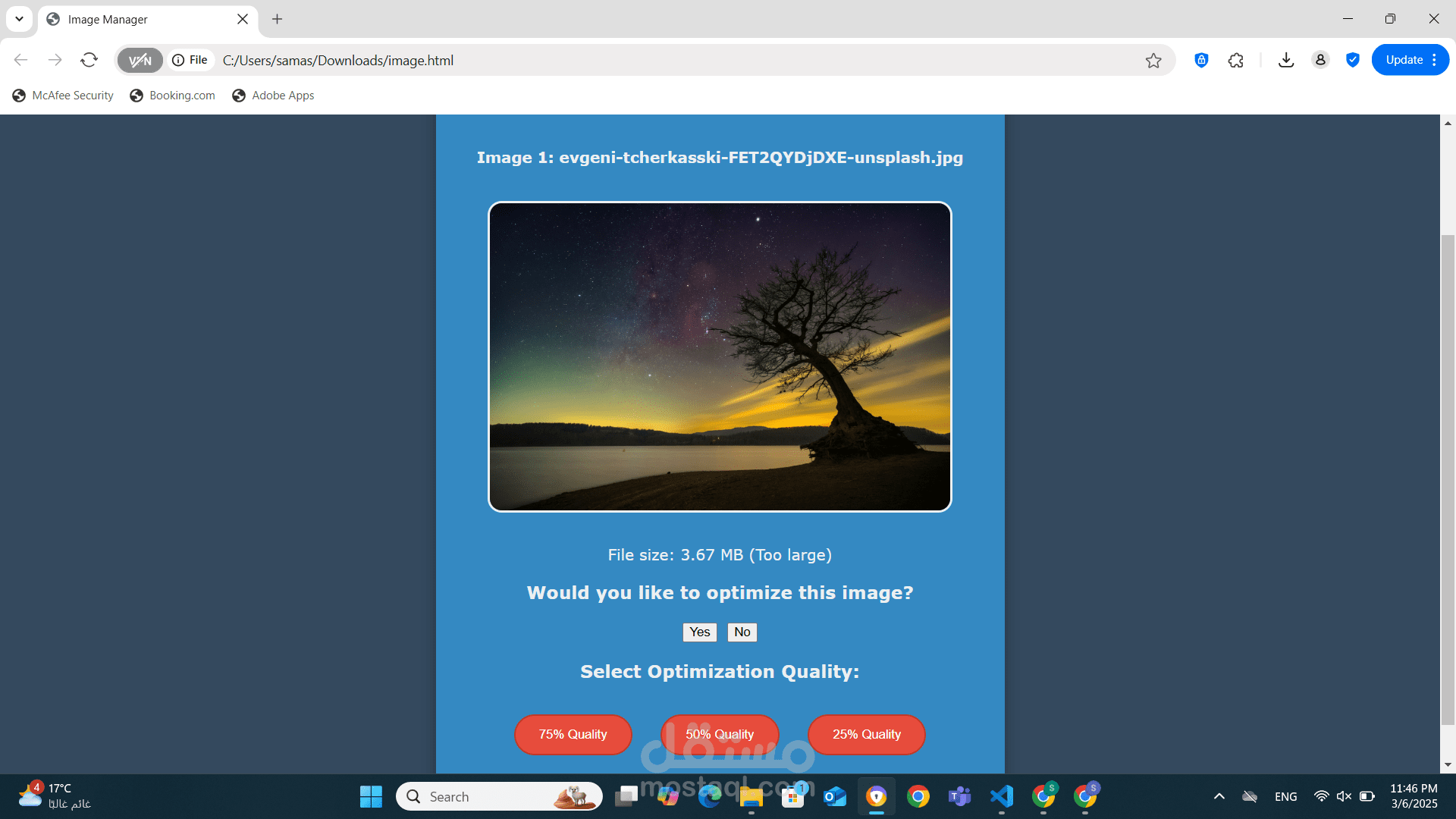
As a front-end developer, I’m building a web-based tool that lets users upload, view, and optimize images for better performance. This tool provides an easy way to reduce image sizes while maintaining quality, making it useful for websites and applications that need optimized media.
Key Features:
1. Image Upload – Supports single or multiple image uploads.
2. Instant Preview – Displays uploaded images in a clean layout.
3. Size Check & Optimization – Detects large images and suggests compression.
4. User-Controlled Quality Reduction – Allows users to choose from 75%, 50%, or 25% quality.
5. Download Optimized Images – Users can save the compressed images for future use.
6. Smooth UI & Notifications – Responsive design, animations, and status messages.
User Flow:
1. User selects one or multiple images to upload.
2. Images appear instantly in the display area.
3. If an image is larger than 2MB, an option to optimize appears.
4. The user selects a compression level and downloads the optimized image.