Chat With Data
تفاصيل العمل
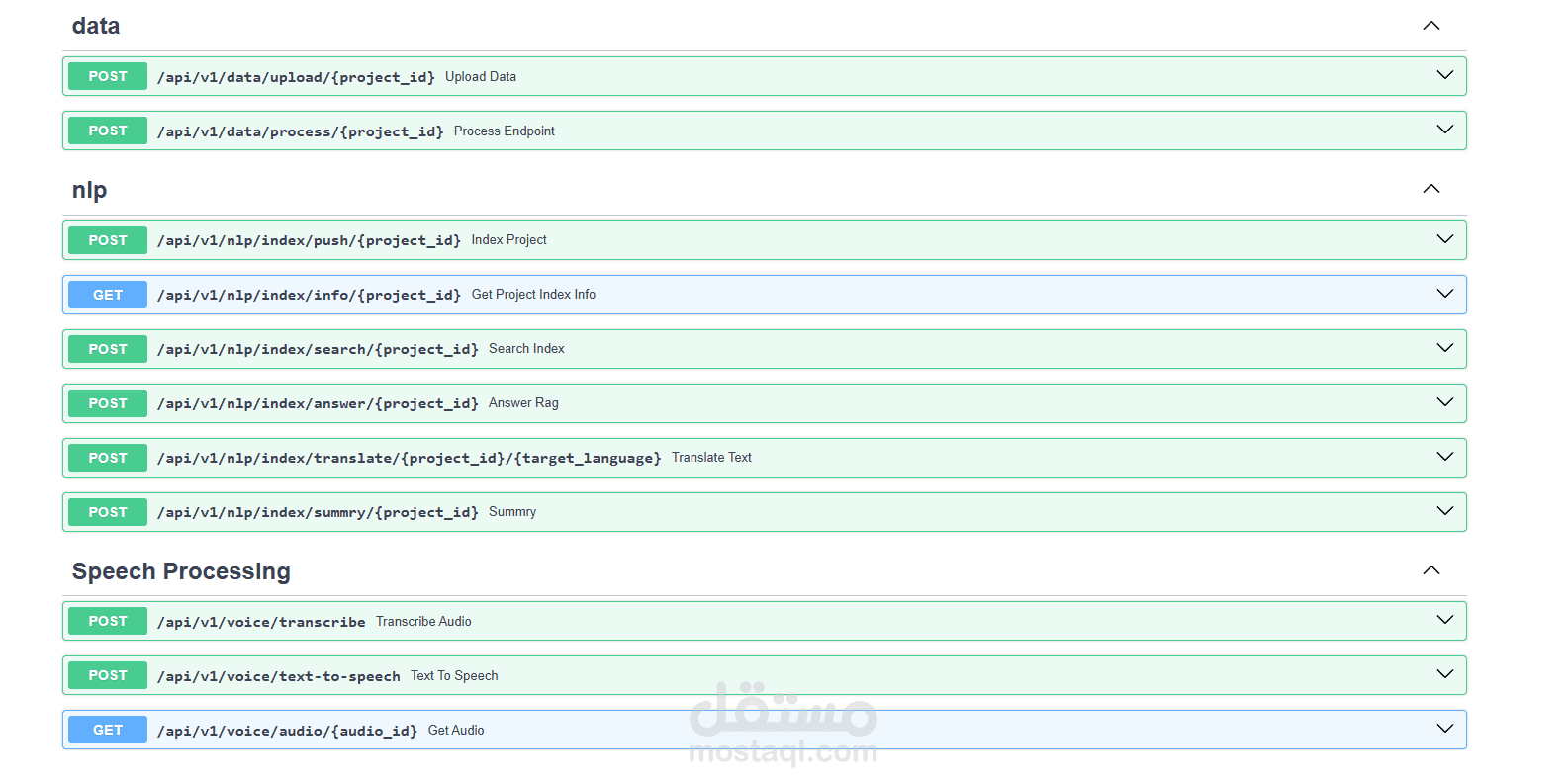
1. File Chat
Engage with Files Seamlessly
Specky enables users to chat with files, regardless of their type. Whether it’s a PDF, Word document, or spreadsheet, you can:
Ask questions about file content.
Extract key information in real-time.
Search across multiple files intelligently.
Use Case: Quickly find insights from a collection of research papers or contracts.
2. File Translation
Translate Files to Any Language
Specky provides robust translation tools for converting file content into any desired language. This feature supports diverse document formats and ensures high-quality, context-aware translations.
Use Case: Make your business documents accessible globally by translating them into multiple languages.
3. File Summarization
Summarize Content Effortlessly
Generate concise summaries for any file, tailored to your preferred length or page limits. This feature is perfect for extracting the essence of lengthy documents.
Use Case: Save time by summarizing a 100-page report into key points or a 500-word summary.
4. Pronunciation Correction
️ Perfect Your Pronunciation
Specky’s AI-driven pronunciation correction ensures accurate verbal communication. It analyzes your input and provides precise feedback for improving spoken language skills.
Use Case: Ideal for learners refining their pronunciation or professionals preparing for presentations.
5. Text-to-Speech
Turn Text into Lifelike Speech
Transform written text into natural, high-quality audio output. This feature enhances accessibility and usability, especially for visually impaired users or those on the go.
Use Case: Generate audio guides or narrations for eBooks effortlessly.
6. Speech-to-Text
️ Convert Speech into Accurate Text
Record and transcribe spoken words into accurate text. This feature is indispensable for creating meeting notes, captions, or analyzing conversations.
Use Case: Automate transcription for meetings, lectures, or interviews.