Asp.net(MVC)
تفاصيل العمل
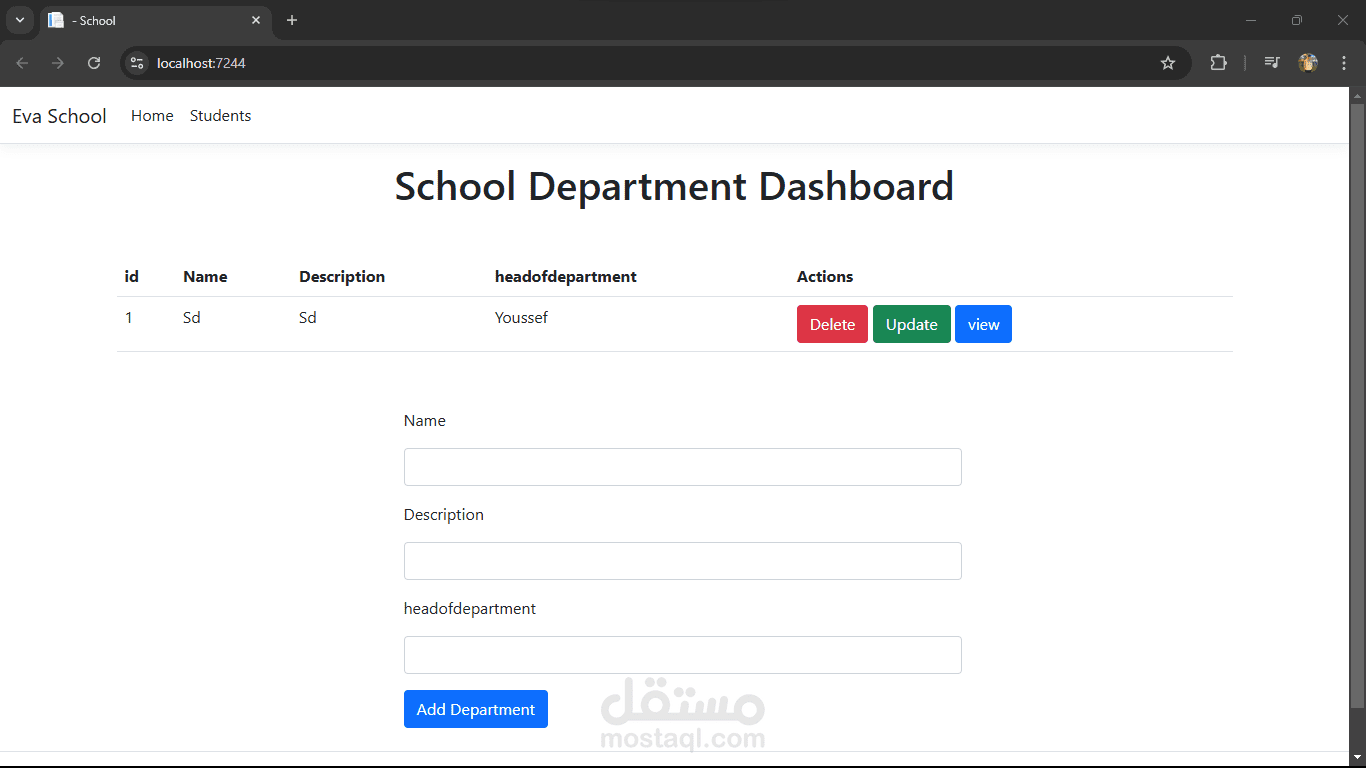
Here’s another example, this time for an School Management System:
________________________________________
1. Project Setup
•Create an ASP.NET Core MVC project using Visual Studio.
•Set up Entity Framework Core with a code-first approach, connecting to a local database.
________________________________________
2. Entities and Models
Define three main entities: Department, Student, and Assignment.
Department:
•Id (Primary Key)
•Name (string, max length 100)
•Description (string, max length 500)
•Headofdepartment (string, max length 50)
Student:
•Id (Primary Key)
•Name (string, max length 100)
•Email (string, max length 100, unique)
•Phone (string, max length 15)
Assignment:
•Id (Primary Key)
•StudentId (Foreign Key to Student)
•DepartmentId (Foreign Key to Department)
•StartDate (DateTime)
•EndDate (DateTime)
•Status (Pending, Shipped, Delivered, Cancelled)
Relationships:
•A Student can have multiple Assignments (one-to-many).
•A Department can appear in multiple Assignments (one-to-many).
________________________________________
3. Database Context
•Create a OrderManagementContext class inheriting from DbContext.
•Configure the DbSet<Department>, DbSet<Students>, DbSet< Assignments >
________________________________________
4. Migrations
•Use EF Core Migrations to generate and apply the database schema.
________________________________________
5. Controllers
Create controllers for Student, Department, and Assignment:
Department Controller:
•Actions for Index (list Departments), Details (view Department details), Create, Edit, and Delete.
•Details action should include: List of Assignments in the project.
Student Controller:
•Actions for Index (list all Students), Details (view Assignment details), Create, Edit, and Delete.
•Details action should include: List of Assignments assigned for that studen.
AssignmentController:
•Actions for Index (list all Assignment)
•Action to update assignment status
________________________________________
6. Views
Use Razor views to display and manage data:
Dashboard (Departments Index View):
•Display a list of all Departments with options to view details, create, edit, and delete.
Student Details View:
•Display Student details.
•Include a list of all assignments placed by the student in a table:
oColumns:Assignment ID, Assignment Date, , and Status.
Assignment Details View:
•Display order details, including:
ostudent name and contact information.
oList of departments in the assignment with columns for department id, deadline, status, and description.
Reusable Components:
•Use ViewModels to pass data between controllers and views.
•Use Bootstrap for styling.
7. Validation and Error Handling
•Use data annotations for validation:
oRequired fields (e.g., Department Name, description).
•Handle validation errors in Razor views:
oDisplay error messages for invalid inputs.
•Add global error handling for unexpected issues.