Global Chat
تفاصيل العمل
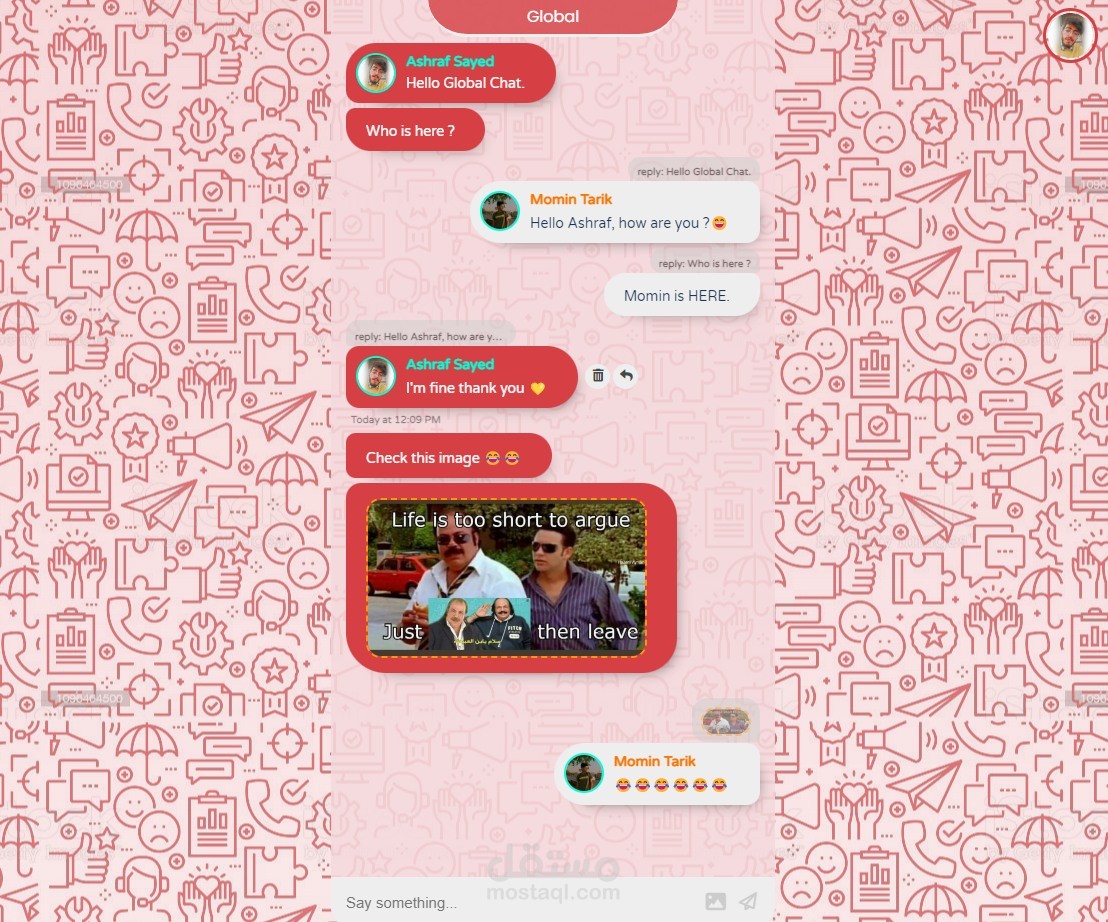
Introducing Global Chat
My first back-end portfolio project, using Firebase.
Skills used
#javascript
#html
#CSS3
#firebase
Features built using Firebase:
1-Realtime database
2-Firebase Authentication
3-Firebase storage
4-Firebase AppCheck using (reCAPTCHA V3)
What can you do in Global Chat?
-Create a new User using E-mail and password & set your user color and photo [you will receive a verification link through your e-mail].
-You can reset your password and receive a password reset link through your signed-up e-mail.
-You can sign in and out [your account has to be verified to sign in].
-You can update your profile image, Bio, and user color through your profile.
-Once you have joined, you can send and receive messages in the Global Chat room.
-Messages also have features, so you can reply to and delete your Messages (updates instant).
-Every message has its timestamp.
-Chats have infinite scroll [will load only the last 50 messages from the database till you scroll to the top and will load 50 more].
-Chats have a scroll to the bottom button.
-You can upload and send images through chats, also links detected by RegExp and sent as clickable.
-You can create rooms with names and passwords, and others can join.
-You can kick others from your rooms, remove the entire room, and leave your joined rooms.
-You can change your rooms' passwords.
-You can view others' profiles if you both share the same room.
-Toast notifications for all errors and alerts.