Mullion Terminal – Cross-Platform Desktop Terminal (Open Source)
تفاصيل العمل
My role: Creator & Maintainer
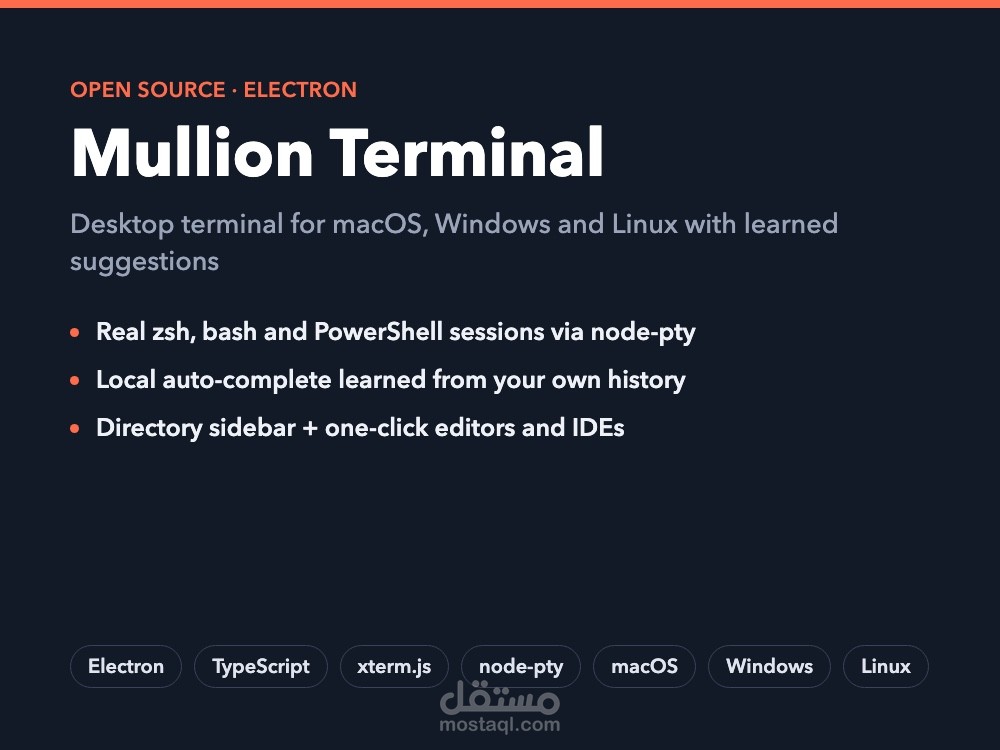
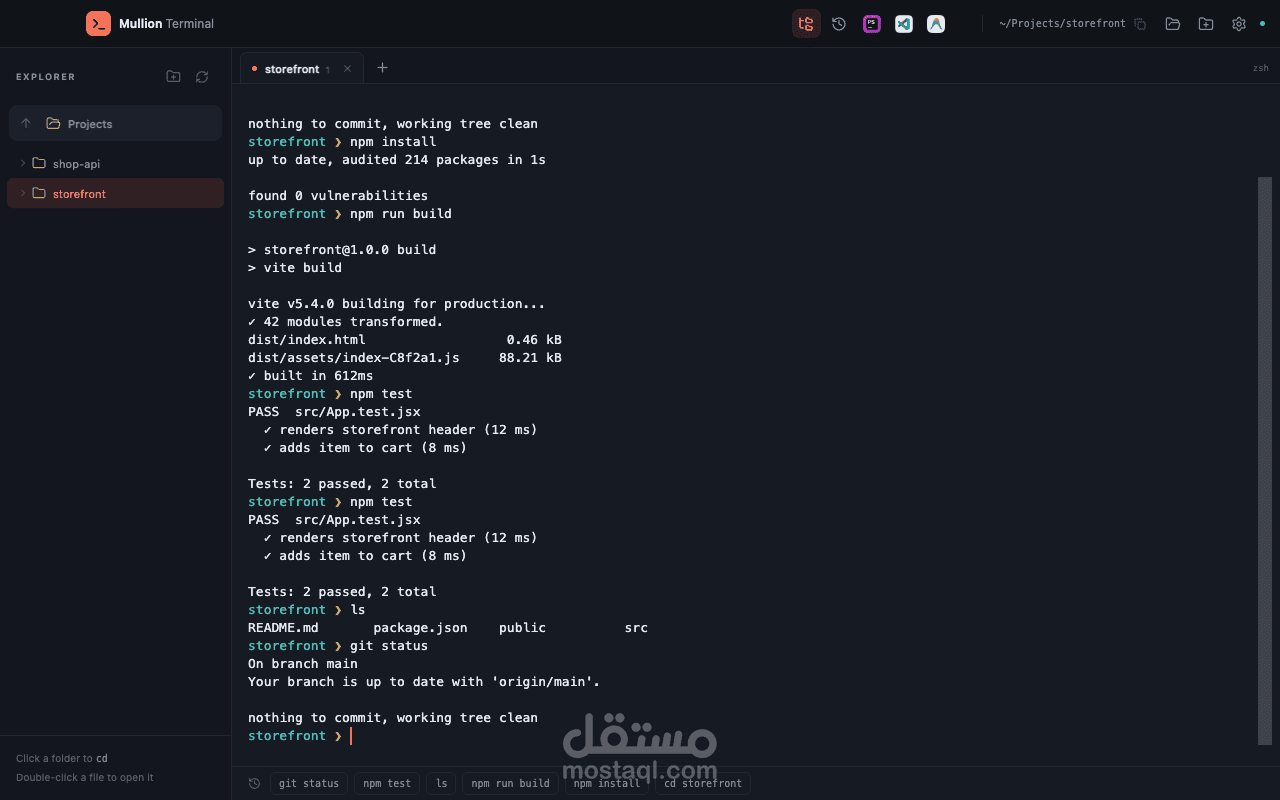
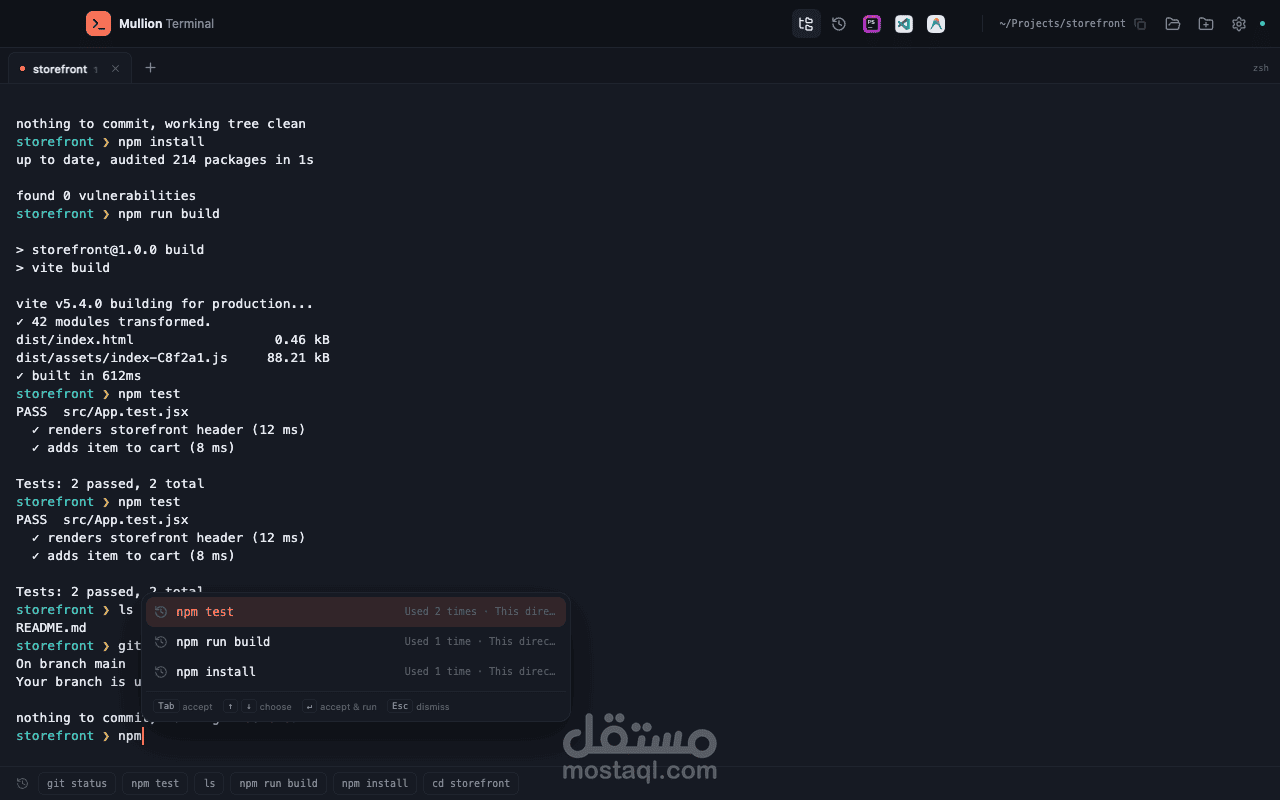
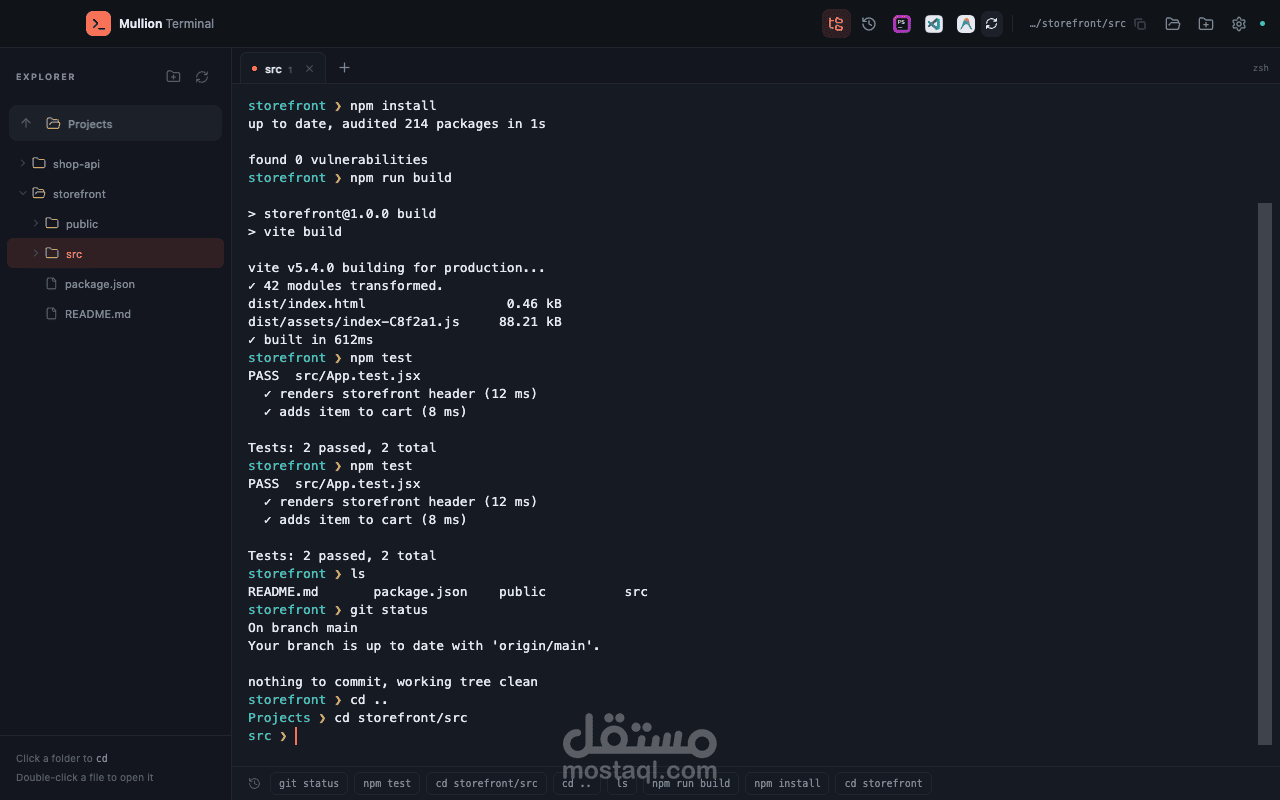
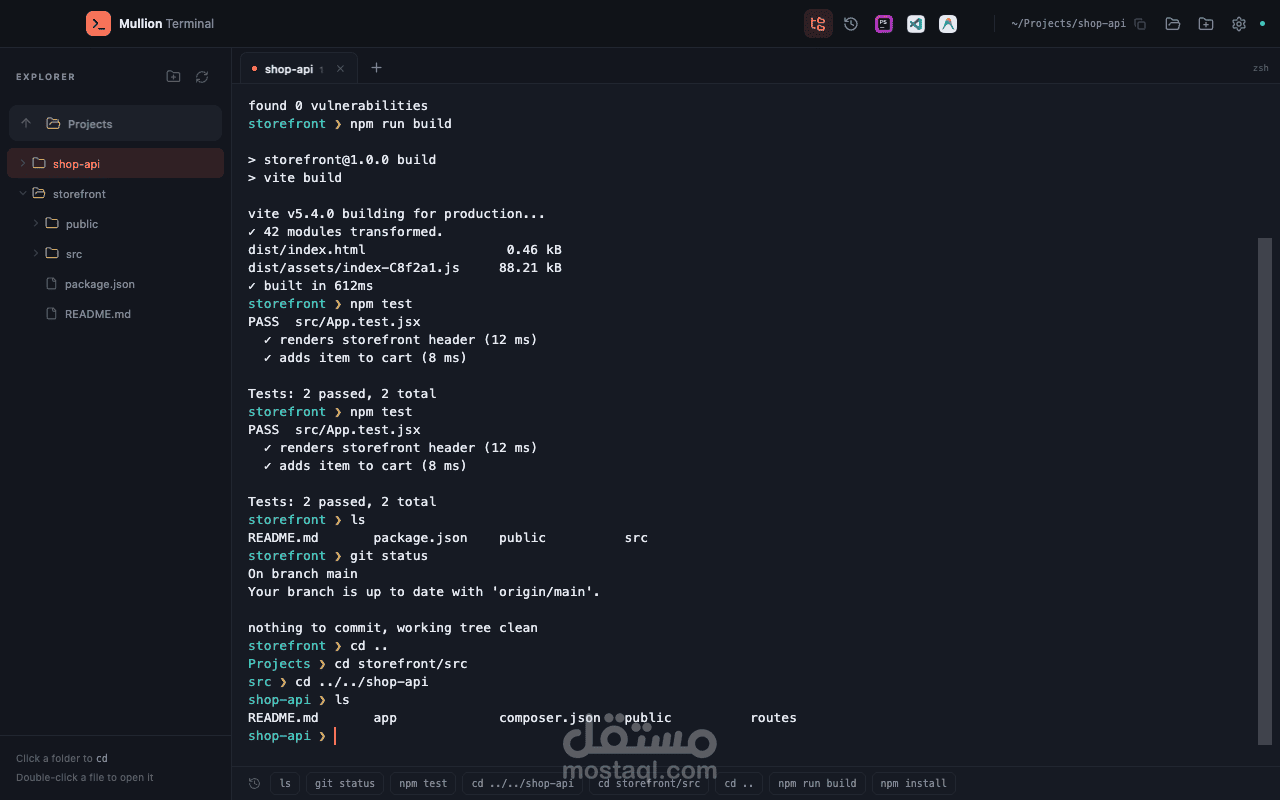
Open-source desktop terminal for macOS, Windows and Linux, built with Electron, TypeScript and xterm.js. Every tab runs a real zsh, bash or PowerShell session through node-pty. Suggestions are learned locally from your own command history and blended with filesystem paths, shown as a popup or inline ghost text. A directory sidebar changes folders inside the same shell session, and the titlebar shows one-click VS Code, JetBrains and Xcode launchers only when the folder is a coding project.
Key features
- Real shells, not a wrapper: every tab runs zsh, bash or PowerShell through node-pty, so interactive programs, resizing and normal line editing just work.
- Local learning: suggestions blend your own command history (ranked by frequency and recency, with pinning) with filesystem paths, as a popup or inline ghost text. Typos and failed commands are never learned, and nothing leaves the device.
- Directory sidebar: a folder tree that changes directory inside the same shell session, plus a rendered Markdown preview.
- Editor detection: scans the project and shows one-click launchers for VS Code, Cursor, Zed, JetBrains IDEs, Xcode and more, only for real coding folders.
- nano and vim helpers: mouse support and Save / Exit bars, so git commit editors are never a trap.
- Cross-platform releases: macOS DMG, Windows NSIS installer, Linux AppImage and .deb, plus "Open with Mullion Terminal" in Finder, Explorer and Linux file managers.
Stack: Electron, TypeScript, JavaScript, xterm.js, node-pty, Vite.
Source code: github.com/anabiiil/mulli...