Payroll sheet Automation (fake data for confidintial)
تفاصيل العمل
KSA Payroll Attendance & Timesheet Automation
How this workbook works, and how to keep it running smoothly.
1. Sheet map
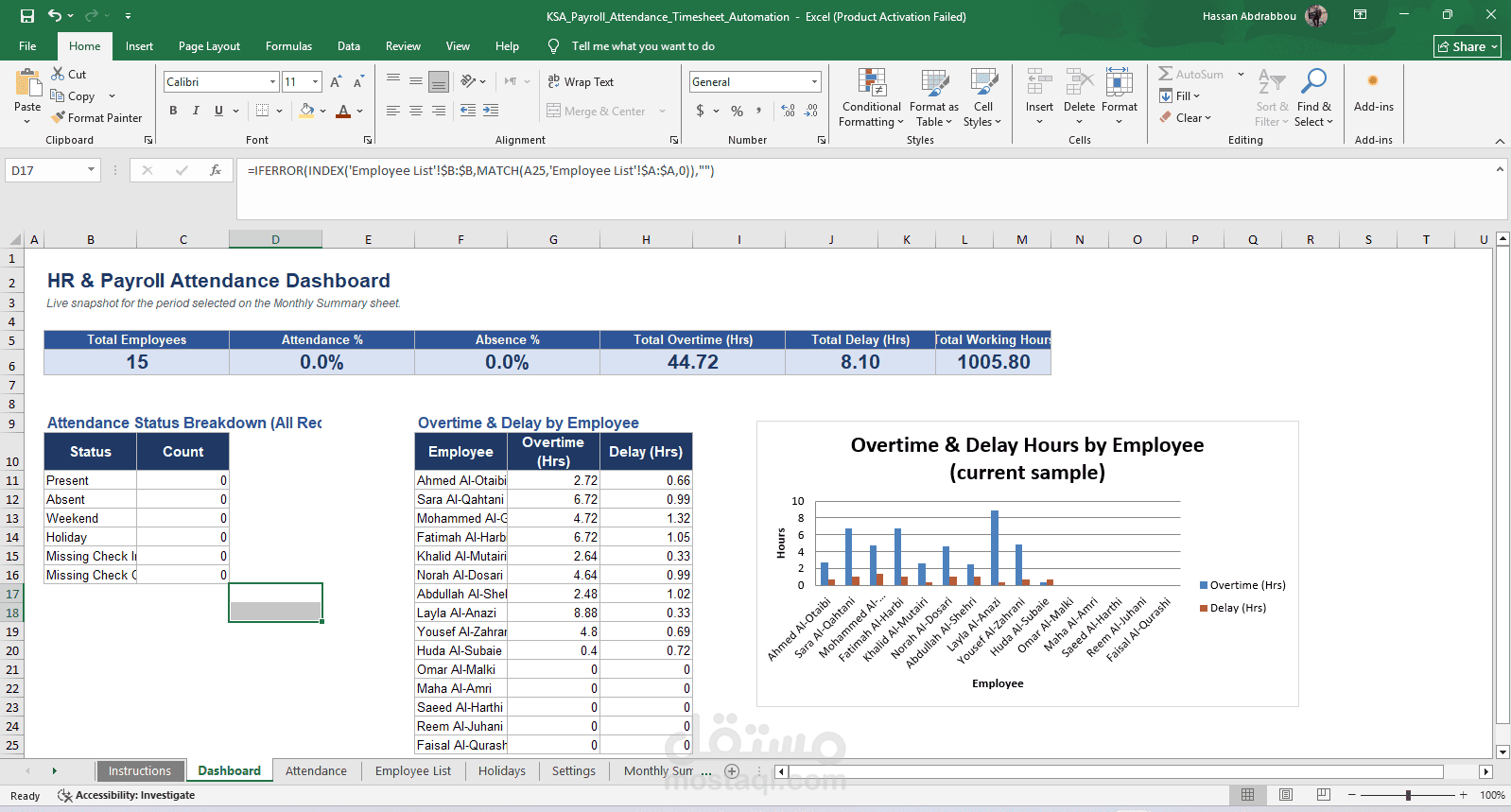
• Dashboard - live KPIs and charts for the period selected on Monthly Summary.
• Attendance - your daily data entry log. Type Employee Code, Date, Check In and Check Out only.
• Employee List - the master list of employees (Employee Code + Employee Name + Department).
• Holidays - official holiday dates. These are excluded from Absence and Working Day counts automatically.
• Settings - shift start/end time, break time, required daily hours and weekend days. Change these once and every formula in the workbook updates.
• Monthly Summary - pick a Month and Year; a payroll-ready table recalculates per employee instantly.
2. Daily workflow
• Open Attendance and go to the first empty row directly below the table.
• Enter the Employee Code (pick from the dropdown), the Date, Check In and Check Out.
• Employee Name, Day Name, Actual Working Hours, Delay, Early Leave, Overtime and Attendance Status fill in automatically.
• Leave Check In and Check Out blank on a day the employee did not attend - the sheet will mark it Absent (or Weekend/Holiday automatically if the date falls on a non-working day).
3. Growing beyond the built-in capacity
• The Employee List is pre-built for 5,000 employees and the Holiday list for 100 dates - just keep typing, no setup needed.
• The Attendance table ships with 500 ready formula rows. To add more, select the last row of the table and drag the fill handle down (or simply start typing in the row right beneath the table - Excel extends the table and copies the formulas automatically).
• The Monthly Summary table ships with 300 employee rows, matching the Employee List capacity shown above; if you exceed 300 employees, select the last row and fill down the same way.
4. Protection
• Every calculated cell is locked and the sheets are protected (no password) so formulas can't be overwritten by accident.
• Data-entry cells (Employee Code, Date, Check In, Check Out, Notes, Employee List, Holidays, Settings, Month/Year selector) stay fully editable.
• To adjust the design or remove protection, use Review > Unprotect Sheet in Excel.
5. A note on formulas
• Lookups use INDEX/MATCH rather than XLOOKUP, and status logic uses IFS, so the workbook calculates identically on Excel 2019, 2021, 365 and Excel for Mac - not just the newest builds.
• SUMIFS, COUNTIFS and NETWORKDAYS.INTL power every total, so nothing needs to be calculated by hand.