Smart PDF Highlighter
تفاصيل العمل
Smart PDF Highlighter
Overview
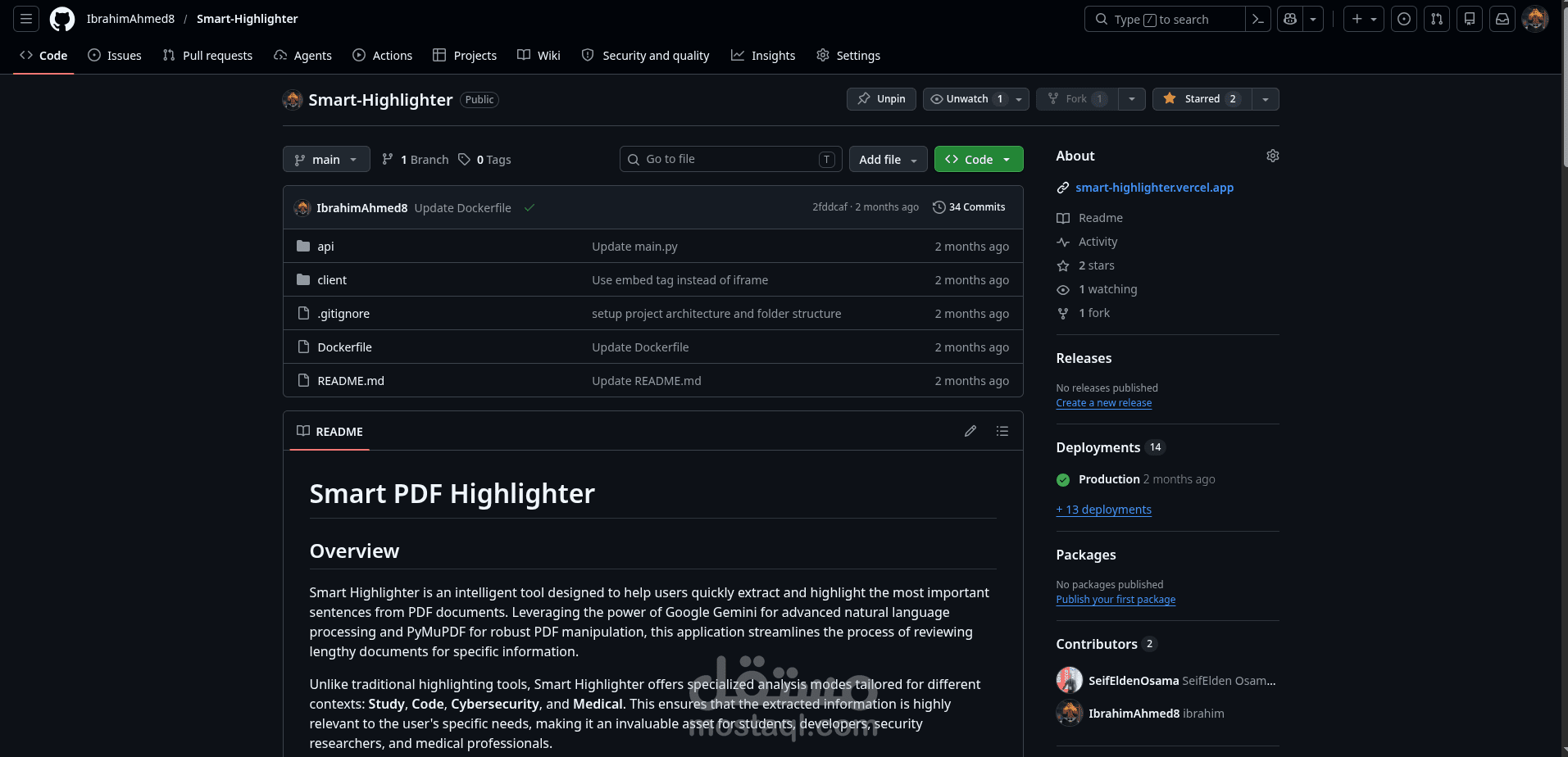
Smart Highlighter is an intelligent tool designed to help users quickly extract and highlight the most important sentences from PDF documents. Leveraging the power of Google Gemini for advanced natural language processing and PyMuPDF for robust PDF manipulation, this application streamlines the process of reviewing lengthy documents for specific information.
Unlike traditional highlighting tools, Smart Highlighter offers specialized analysis modes tailored for different contexts: Study, Code, Cybersecurity, and Medical. This ensures that the extracted information is highly relevant to the user's specific needs, making it an invaluable asset for students, developers, security researchers, and medical professionals.
Key Features
Intelligent Sentence Extraction: Utilizes Google Gemini to identify and extract high-value sentences based on the selected analysis mode.
Multiple Analysis Modes:
Study: Focuses on definitions, cause-effect relationships, facts, and thesis statements for academic learning.
Code: Extracts function definitions, algorithmic logic, configuration values, warnings, and API contracts for software engineers.
Cybersecurity: Identifies vulnerability descriptions, severity ratings, attack vectors, IoCs, and remediation steps for security researchers.
Medical: Pinpoints patient symptoms, diagnostic findings, diagnoses, medications, and follow-up instructions for medical professionals.
Accurate Highlighting: Employs PyMuPDF to precisely highlight the extracted sentences directly within the PDF, ensuring no font encoding or formatting mismatches.
Web-based Interface: A user-friendly frontend allows for easy PDF uploads, mode selection, and viewing/downloading of highlighted documents.
Client-side History: Keeps a record of recently processed PDFs for quick access.
How It Works (Architecture)
The Smart Highlighter's core innovation lies in its robust architecture, which guarantees accurate and reliable highlighting:
Local Text Extraction: When a PDF is uploaded, the backend first extracts the complete text content using PyMuPDF. This ensures that the application has full control over the text representation.
Gemini Analysis: The extracted plain text (not the PDF file itself) is then sent to the Google Gemini API. Gemini processes this text according to the selected analysis mode and returns a list of verbatim sentences deemed most important.
Verbatim Matching & Highlighting: Since Gemini is instructed to copy sentences character for character from the provided text, the returned sentences are guaranteed to exist exactly as they appear in the locally extracted PDF text. PyMuPDF then uses these exact sentences to search and highlight them within the original PDF document.
This approach eliminates common issues like font encoding mismatches, ligatures, or small-caps that can plague other PDF text extraction and highlighting methods, ensuring that every identified sentence is accurately highlighted.
Tech Stack
Backend (API):
FastAPI: A modern, fast (high-performance) web framework for building APIs with Python 3.7+.
PyMuPDF (fitz): A highly efficient Python library for working with PDF documents, used for text extraction and highlighting.
Google Gemini API: Powers the intelligent sentence extraction based on various analysis modes.
python-dotenv: For managing environment variables, specifically the GEMINI_API_KEY.
Frontend (Client):
HTML5: Structure of the web application.
Tailwind CSS: A utility-first CSS framework for rapidly building custom designs.
JavaScript: For interactive elements and communication with the backend API.
Setup & Installation
To get the Smart Highlighter running locally, follow these steps:
Prerequisites
Python 3.10+
pip (Python package installer)
git (for cloning the repository)
1. Clone the Repository
git clone https://github.com/SeifEl...
cd Smart-Highlighter
2. Set up Google Gemini API Key
Obtain a GEMINI_API_KEY from the Google AI Studio. Create a .env file in the api/ directory with your API key:
# api/.env
GEMINI_API_KEY=your_api_key_here
3. Backend Setup
Navigate to the api directory, install dependencies, and start the FastAPI server:
cd api
pip install -r requirements.txt
uvicorn main:app --host 0.0.0.0 --port 8000
The API will be running at http://localhost:8000.
4. Frontend Setup
The frontend is a static HTML file located in the client/ directory. You can open client/index.html directly in your browser.
Note: The frontend is currently configured to send requests to a deployed Hugging Face Space endpoint. To use your local backend, you will need to modify the index.html file to point to http://localhost:8000/pro... instead of the remote endpoint.
Deployment
Docker
The project includes a Dockerfile for easy containerization of the backend API. To build and run the Docker image:
# From the root of the project
docker build -t smart-highlighter-api -f Dockerfile .
docker run -p 7860:7860 -e GEMINI_API_KEY=your_api_key_here smart-highlighter-api
The API will be accessible on port 7860.
Hugging Face Spaces
The application is designed to be deployable on platforms like Hugging Face Spaces. The main.py file exposes a root endpoint indicating its live status on Hugging Face Spaces, and the frontend is configured to interact with such a deployed instance.
Usage
Open the client/index.html file in your web browser (or deploy the frontend).
Select your desired analysis mode (Study, Code, Cyber, Medical).
Upload a PDF document.
The application will process the PDF, extract key sentences, and display the highlighted PDF along with a list of extracted sentences.
You can then download the highlighted PDF or view previous analyses from the history.
Try it out: https://smart-highlighter...