Final Project
تفاصيل العمل
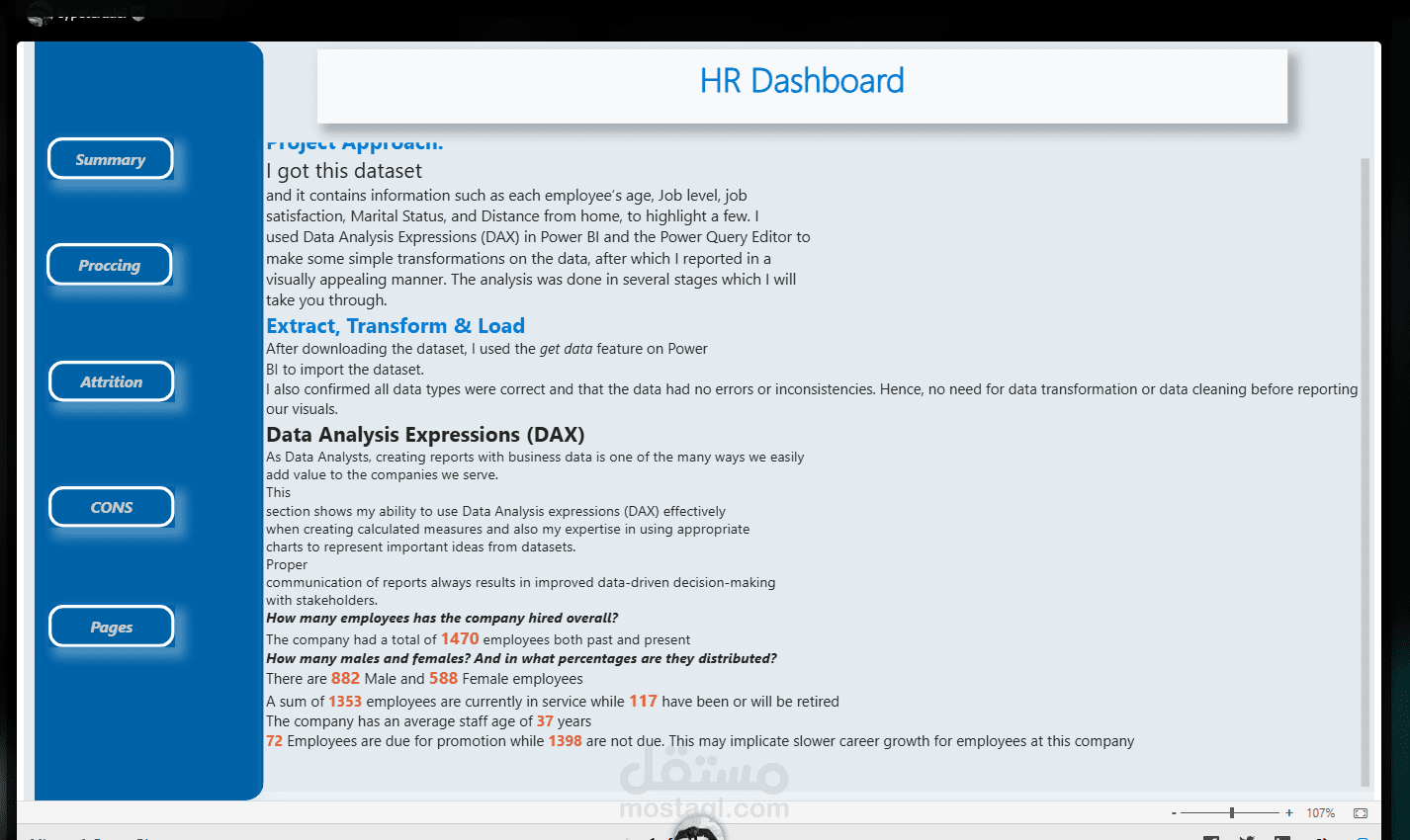
Project Approach:
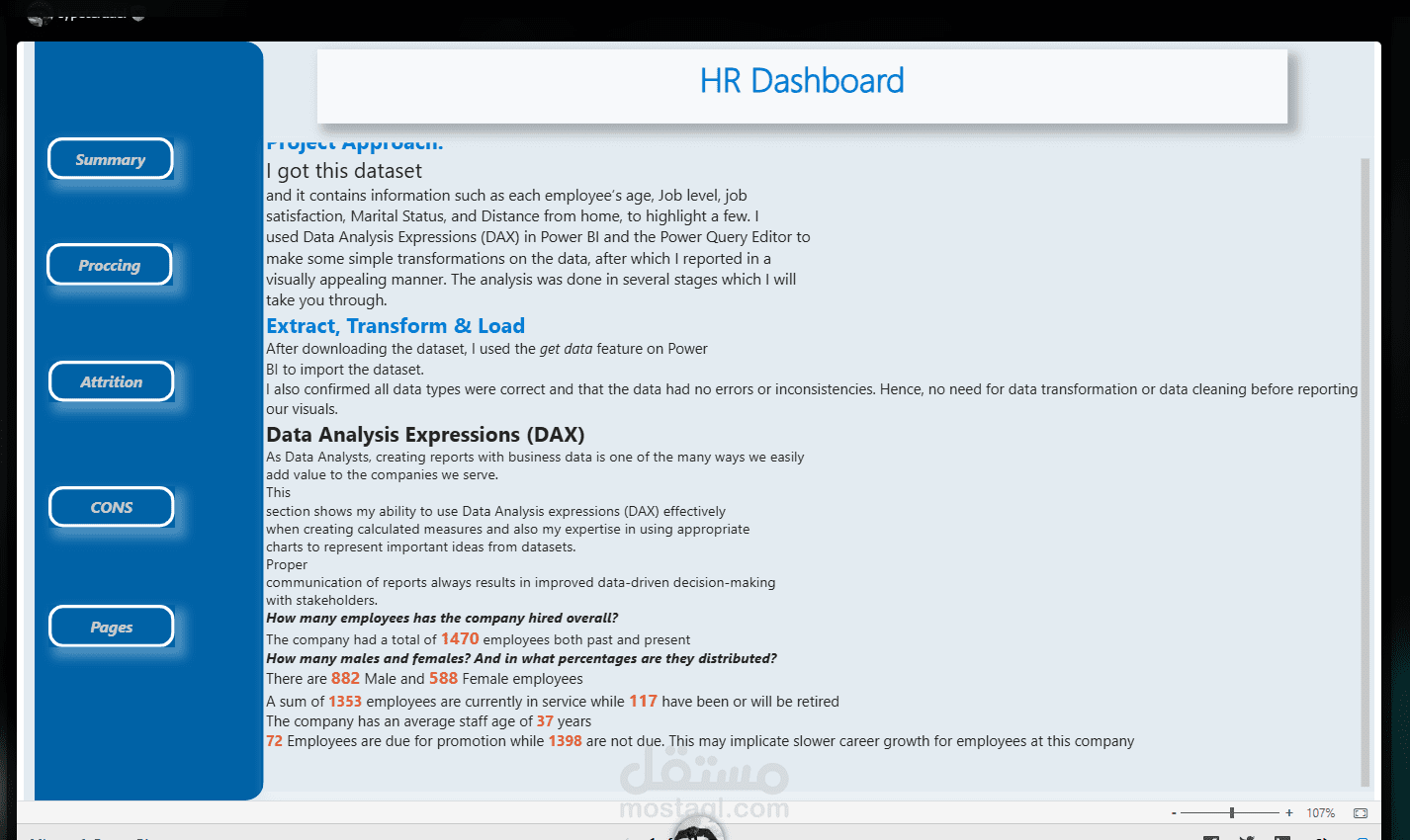
I got this dataset
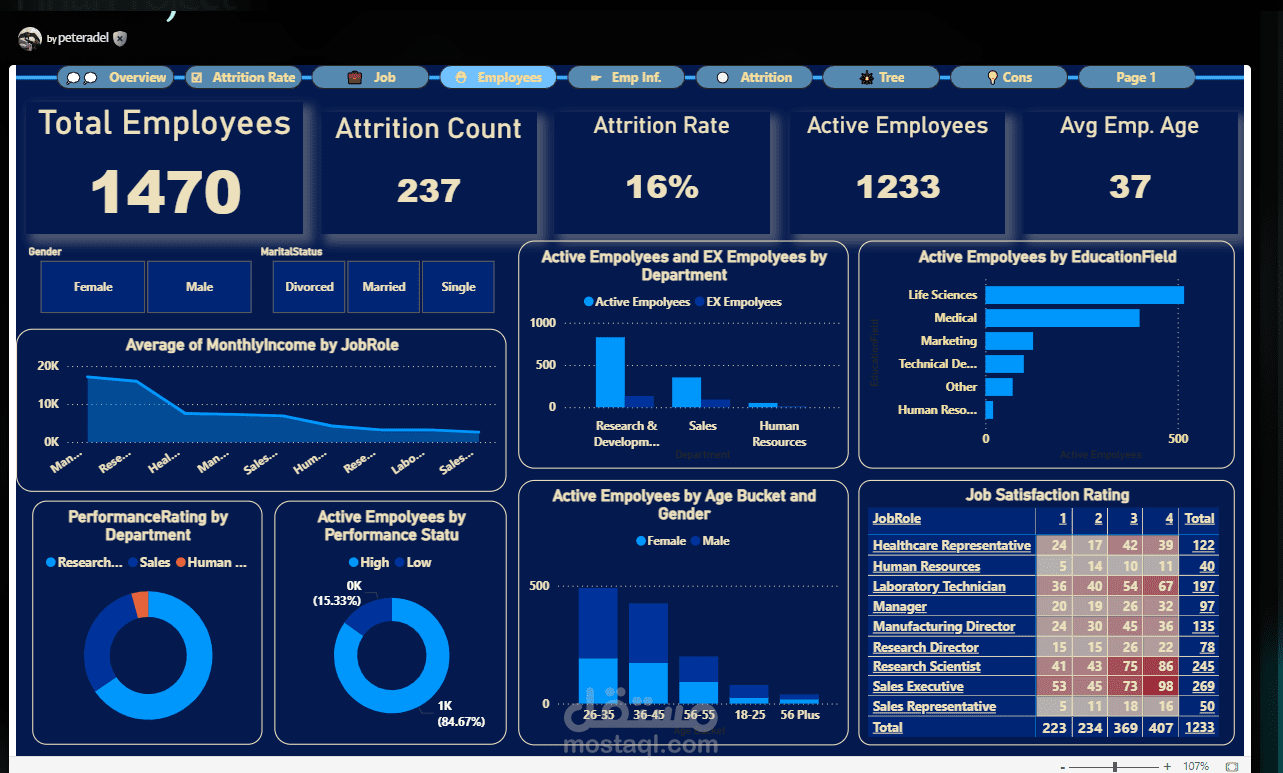
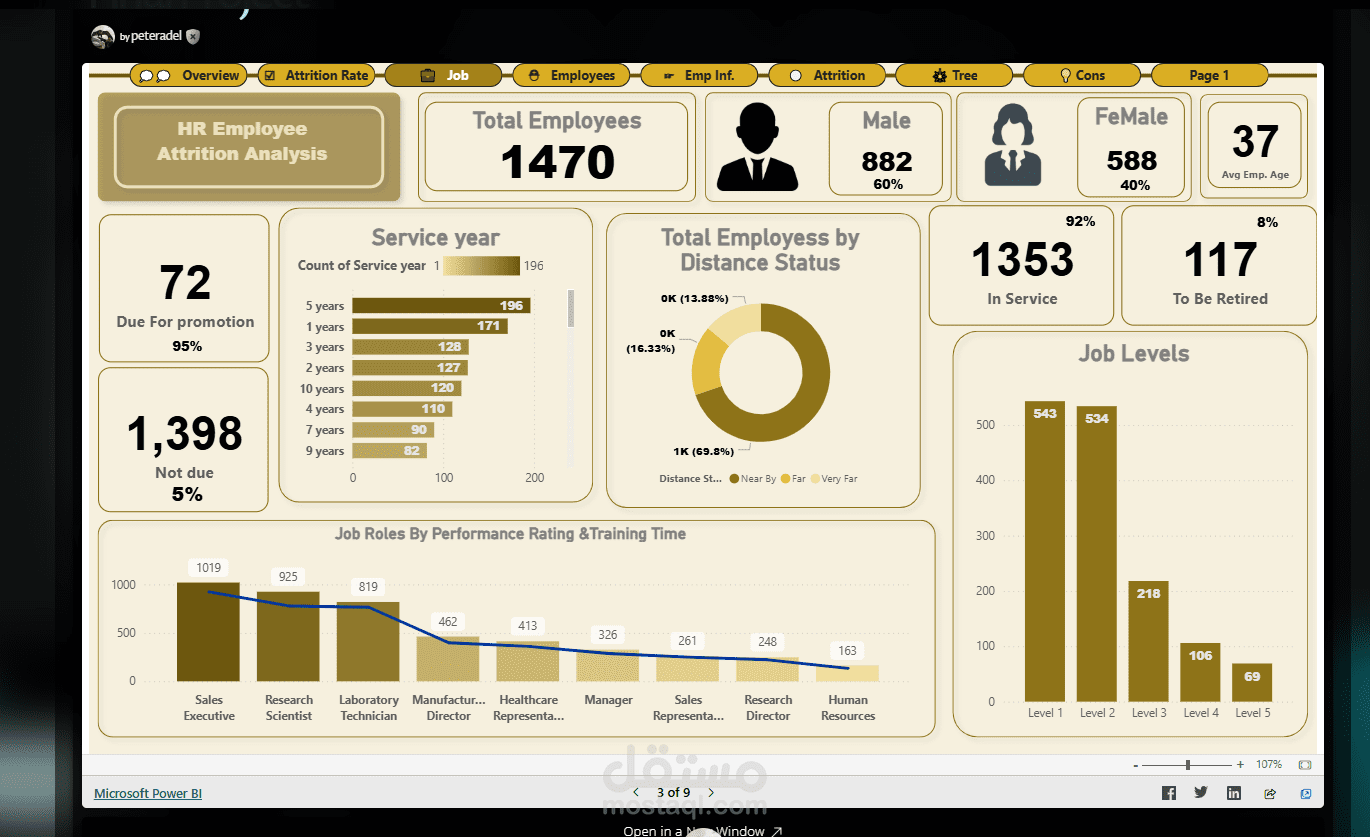
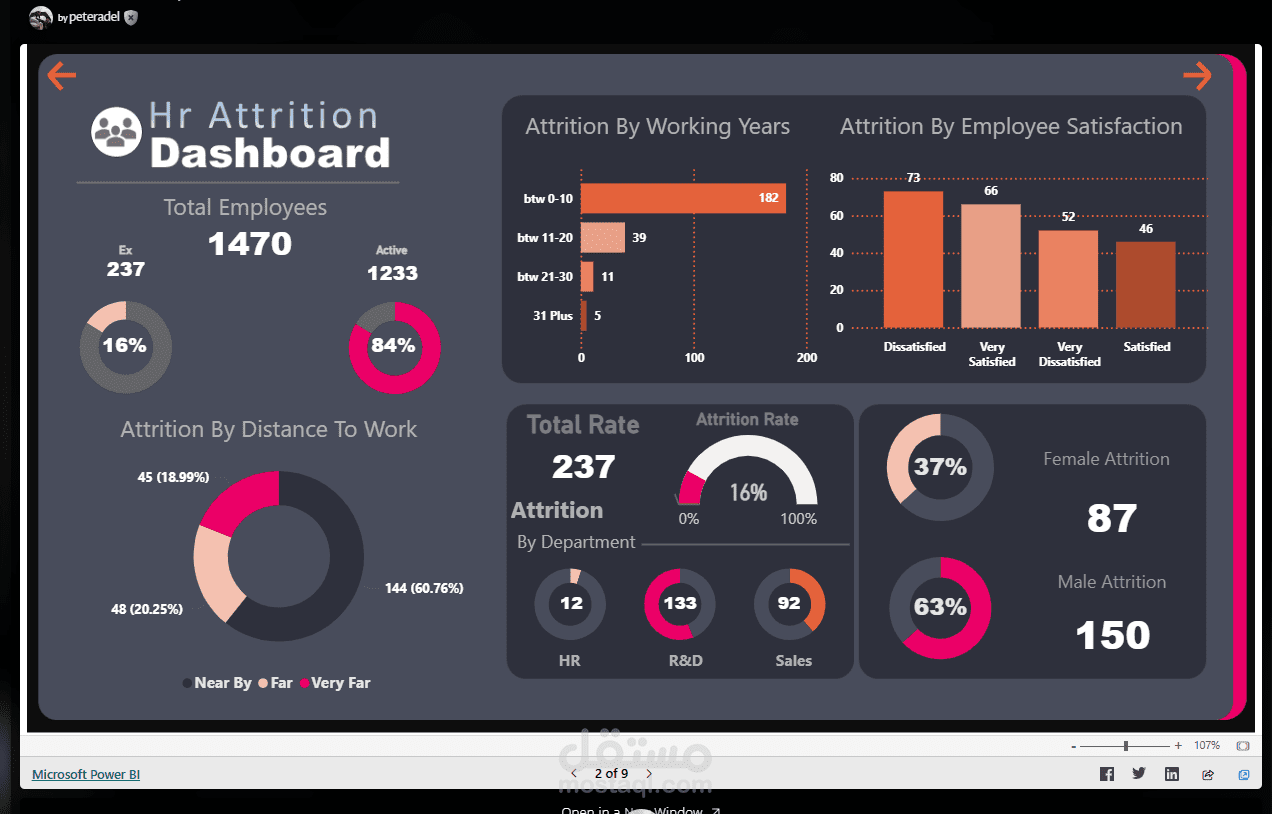
and it contains information such as each employee’s age, Job level, job
satisfaction, Marital Status, and Distance from home, to highlight a few. I
used Data Analysis Expressions (DAX) in Power BI and the Power Query Editor to
make some simple transformations on the data, after which I reported in a
visually appealing manner. The analysis was done in several stages which I will
take you through.
Extract, Transform & Load
After downloading the dataset, I used the get data feature on Power
BI to import the dataset.
I also confirmed all data types were correct and that the data had no errors or inconsistencies. Hence, no need for data transformation or data cleaning before reporting our visuals.
Data Analysis Expressions (DAX)
As Data Analysts, creating reports with business data is one of the many ways we easily
add value to the companies we serve.
This
section shows my ability to use Data Analysis expressions (DAX) effectively
when creating calculated measures and also my expertise in using appropriate
charts to represent important ideas from datasets.
Proper
communication of reports always results in improved data-driven decision-making
with stakeholders.