Network Traffic Analysis using Wireshark (HTTP Packet Inspection)
تفاصيل العمل
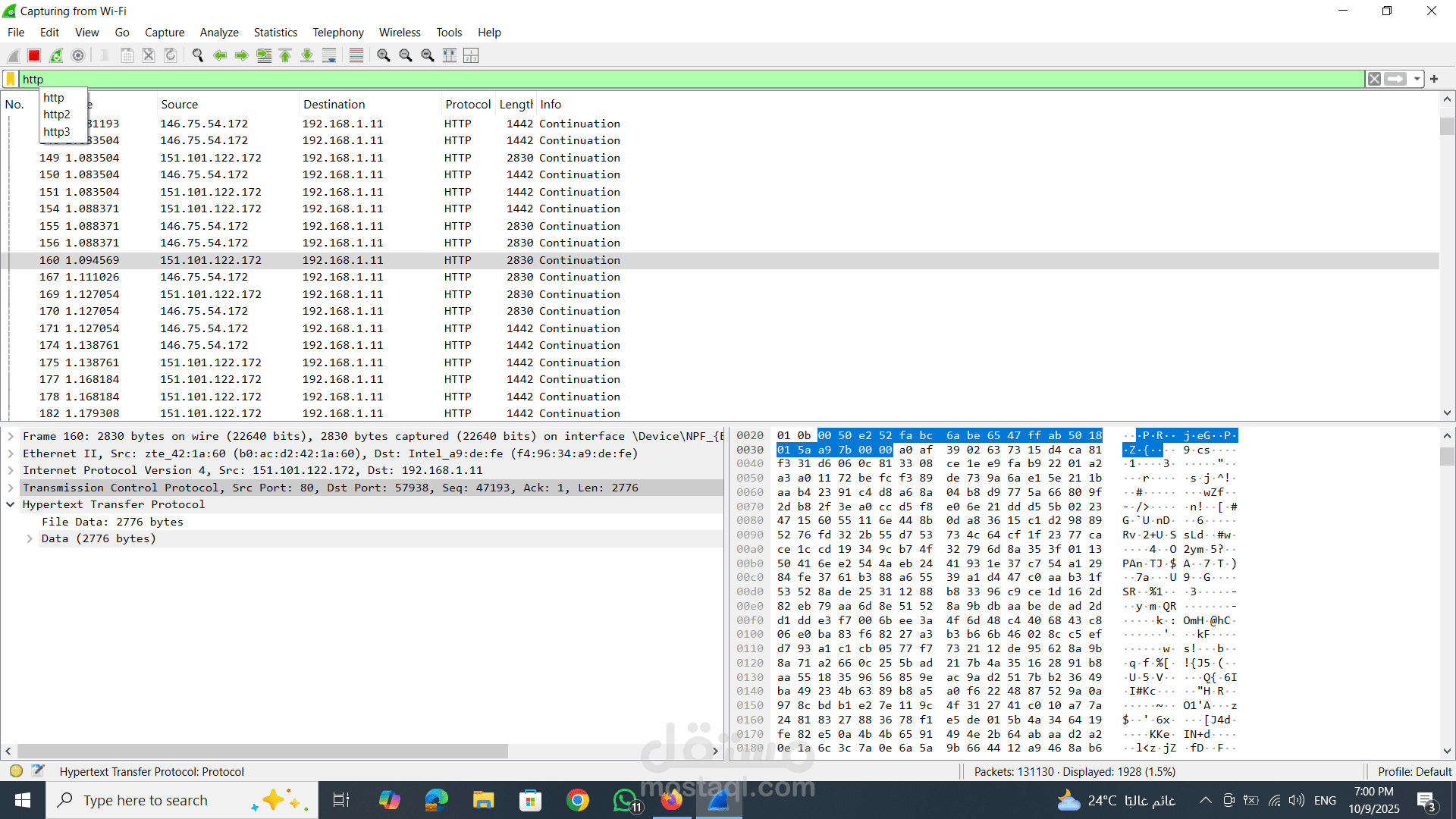
This project demonstrates the use of Wireshark to capture and analyze network traffic in real time.
In the screenshot, HTTP packets are being monitored over a Wi-Fi connection. The tool captures communication between devices (e.g., local IP 192.168.1.11 and external servers), showing details such as source/destination IPs, protocols, packet length, and transmission flow.
By selecting a packet, deeper inspection is performed, including:
Frame details (packet structure)
Ethernet layer information (MAC addresses)
IP layer (source and destination)
TCP layer (ports, sequence numbers)
HTTP protocol data (request/response content)
Raw data (hex + ASCII view)
Key Features:
Real-time packet capturing
Protocol-level analysis (HTTP, TCP/IP)
Deep packet inspection (DPI)
Network troubleshooting and debugging
Security monitoring and anomaly detection
Outcome:
This analysis helps in understanding how data travels across networks, detecting suspicious activity, and troubleshooting connectivity or performance issues.