React Task Management Dashboard (Mini Trello)
تفاصيل العمل
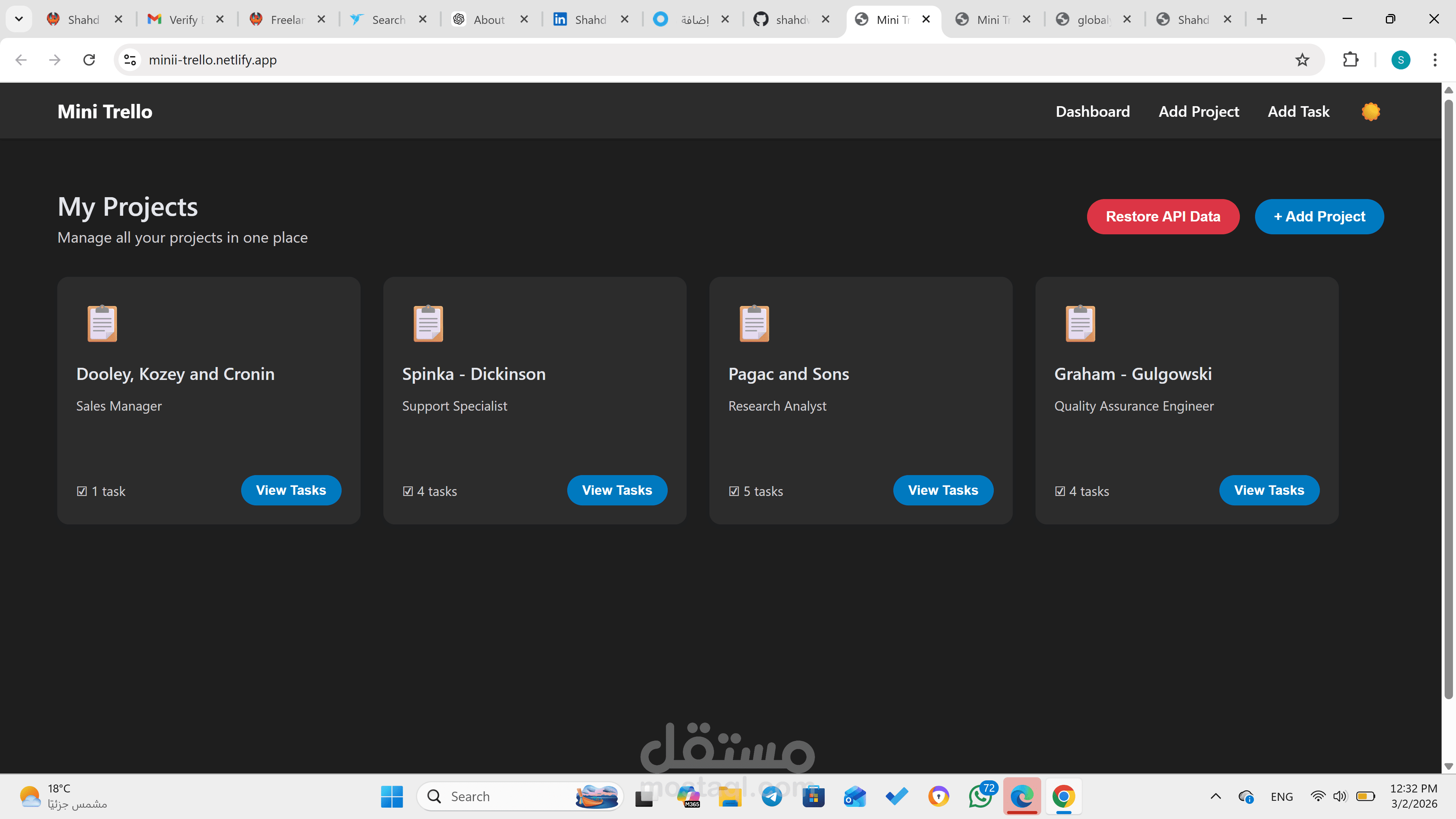
1. Dashboard – Projects List Page (/)
Displays a list of projects fetched from a public API.
Each project is shown in a ProjectCard containing:
Title
Short Description
Tasks Count
"View Tasks" button
Button to navigate to Add Project page.
2. Project Tasks Page (/project/:id)
Displays the title of the selected project.
Shows three task columns:
To Do
In Progress
Done
Each task is displayed in a TaskCard with:
Title
Description
Status
Actions (move or delete)
Functionality to:
Move tasks between columns (local state)
Delete tasks (local state)
Button to navigate to Add Task page.
3. Add Task Page (/add-task)
Form Fields:
Task Title
Task Description
Select Project (dropdown)
Select Status (To Do, In Progress, Done)
On submit:
Adds task to local state
Redirects to the relevant project page
4. Add Project Page (/add-project)
Form Fields:
Project Title
Project Description
On submit:
Adds project to local state
Redirects to Dashboard