https://github.com/OZ-00MS/password-manager
تفاصيل العمل
? Password Manager (Windows)
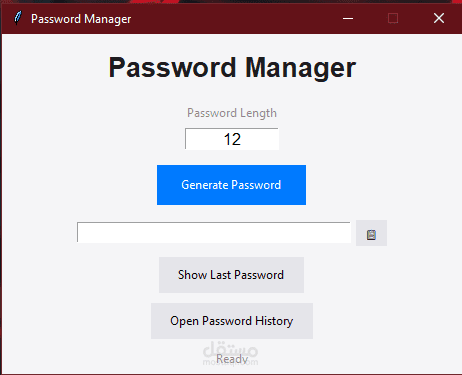
A simple and secure Password Manager for Windows that helps you generate, store, and manage your passwords safely.
This application uses a Master Password to protect all your saved passwords. Without the master password, no one can access your data.
?️ Platform
Windows only (WinRAR / .exe application)
No installation required — just extract and run
? Features
? Generate strong, random passwords
? Save passwords with labels (e.g. Facebook, Email, Instagram)
? Master Password protection
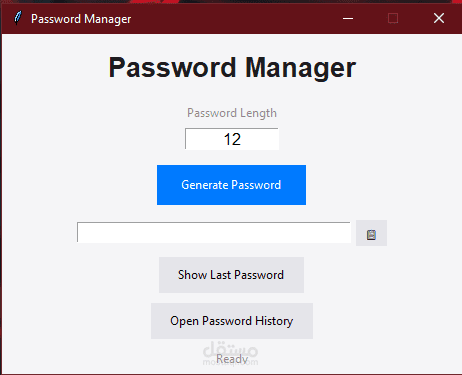
?️ Simple desktop GUI (no terminal needed)
? Passwords stored locally on your computer
? What is the Master Password?
The Master Password is the most important part of this app.
It is created the first time you run the app
It locks and protects all your saved passwords
You must enter it every time you open the password manager
⚠️ Important:
If you forget your master password, your saved passwords cannot be recovered
Do NOT share your master password with anyone
? How to Use (Windows)
Download the .rar file
Right‑click → Extract Here (or Extract to folder)
Open the extracted folder
Double‑click the Password Manager .exe file
? First Launch
When you open the app for the first time:
You will be asked to create a Master Password
Confirm the password
The app will open and you can start adding passwords
? Adding Passwords
You can store passwords like this:
Service: Facebook
Email/Username: example@email.com
Password: ********
All saved passwords are protected by the master password.
? Security Notes
Passwords are not visible as plain text without the app
Access is blocked without the master password
Data stays on your local machine only
❓ Troubleshooting
App doesn’t open: Make sure you extracted the files
Antivirus warning: This can happen with new .exe files — allow it if you trust the source
Forgot master password: Unfortunately, passwords cannot be recovered