Daniels website
تفاصيل العمل
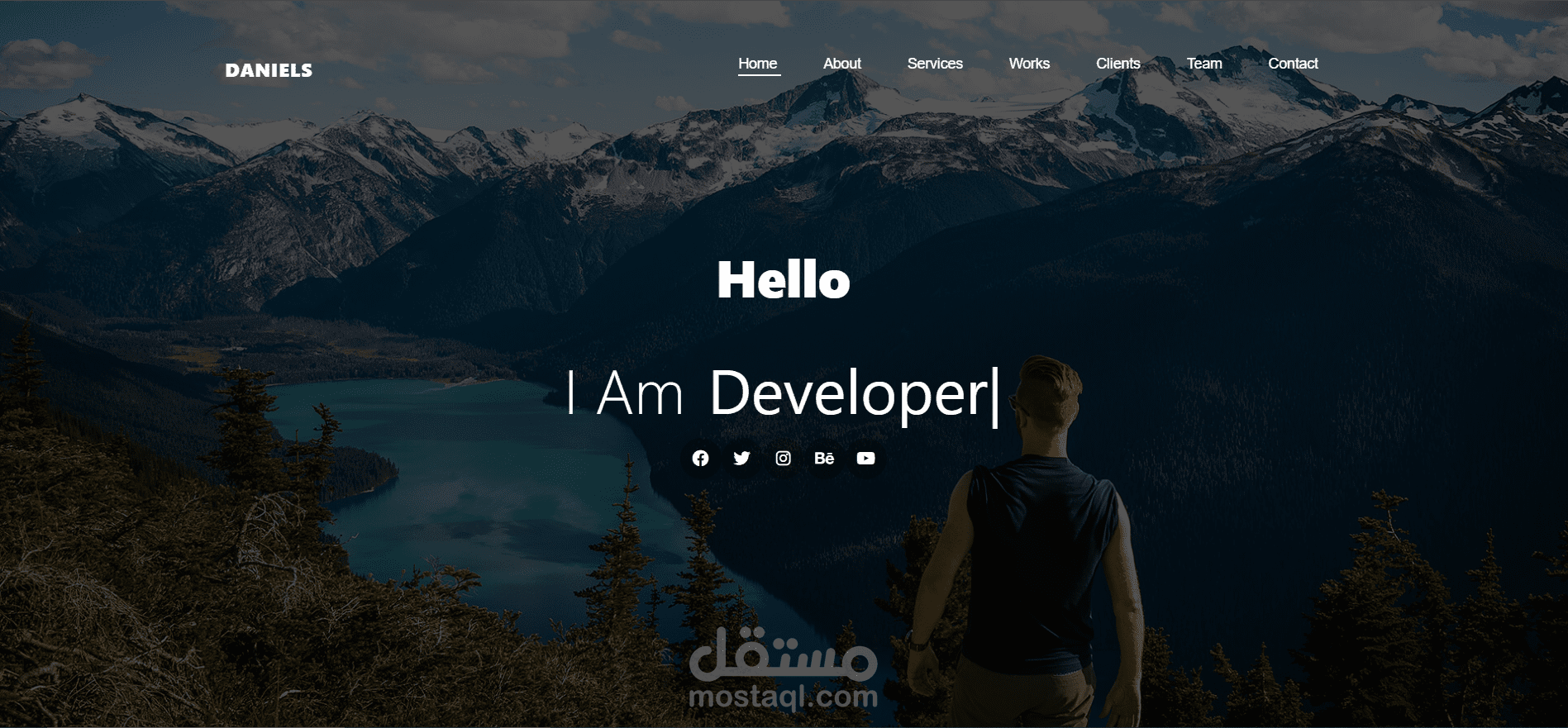
This project is a responsive, single-page portfolio website for a professional named Jerry Daniels, who is presented as a UI/UX Designer and Web Developer. The site is designed to showcase his skills, services, portfolio, and provide a way for potential clients to contact him.
The design is modern and clean, featuring a full-screen hero header, a detailed "About Me" section with skill progress bars, a services grid, a filterable portfolio, client testimonials, and a contact form.
Tools & Technologies Used:
1. Frontend Framework & Library:
Bootstrap 5: The primary CSS framework used to create the responsive and mobile-first layout. It was used for the grid system, navigation bar, buttons, tabs, progress bars, carousel (testimonials slider), and utility classes for spacing, flexbox, and positioning.
2. Styling & Design:
Custom CSS (styles.css & media.css): Custom stylesheets were written to override Bootstrap's default styles and to add unique design elements, animations, and color schemes that are not provided by Bootstrap. The media.css file specifically handles responsive design adjustments for different screen sizes.
Google Fonts: The 'Montserrat' font family is imported from Google Fonts and used throughout the website to give it a modern and professional typographic style.
3. Icons:
Font Awesome: A comprehensive icon library used for all social media icons, service icons, counter section icons, and other UI elements (like the camera and search icons in the portfolio).
4. Interactivity & Functionality:
JavaScript (via Bootstrap Bundle): All interactive components are powered by Bootstrap's native JavaScript. This includes:
The responsive navbar toggler for mobile view.
The tabbed interface for filtering the portfolio items.
The carousel/slider for the client testimonials section.
5. Development Approach:
Responsive Web Design (RWD): The site is built to be fully responsive, ensuring an optimal viewing experience across a wide range of devices (desktops, tablets, and mobile phones). This was achieved using Bootstrap's grid system and custom media queries.
6. Structure & Semantics:
HTML5: Standard semantic HTML5 markup is used to structure the content, ensuring good accessibility and search engine optimization (SEO).