E-commerce System
تفاصيل العمل
E-commerce System
Problem Overview
E-commerce involves using online websites and computer tools to help businesses sell things and interact with customers over the Internet. The E-commerce Administrator is in charge of running the online store, while the Shopper is the person who looks around and buys things. The project involves building an online shopping system with specific features and functionality for both the admin and shopper.
Options for Admin and Shopper
Admin-only Options
Add product
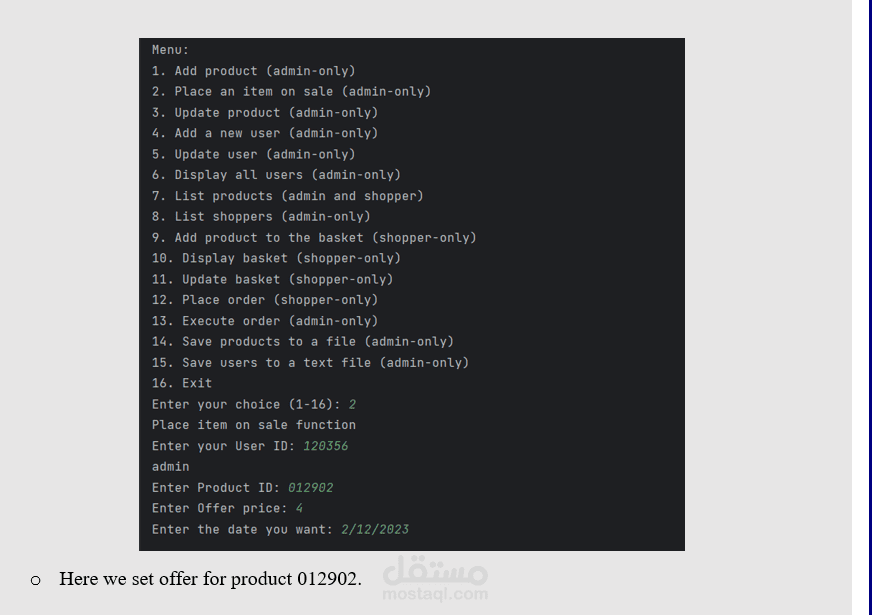
Place an item on sale
Update product
Add a new user
Update user
Display all users
Execute order
Save products to a file
Save users to a text file
Admin and Shopper Options
List products
Admin-only Options (Shoppers can view but cannot perform)
List shoppers
Shopper-only Options
Add product to the basket
Display basket
Update basket
Place order
Exit
Exit (admin and shopper): The system will terminate, asking users to save products and users if they haven't done so already.
System Behavior
The system must load a list of products from a text file (products.txt) and users from (users.txt) upon launch.
Each user must enter a user_id to determine their role (admin or shopper). If the user_id is not found in the file, an 'Access Denied' message is shown.
The system must validate inputs (dates, integers, strings) and display clear error messages for any invalid input.
Features
Add Product (admin-only)
Admin can add a product by inputting details like product_id, product_name, category, price, inventory, supplier, and offer status.
Place an Item on Sale (admin-only)
Admin can place a product on sale by setting the Has_on_offer flag and providing the Offer_price and Valid_until date.
Update Product (admin-only)
Admin can update any field of a product except the product code.
Add a New User (admin-only)
Admin can add a new user by providing a unique user_id, user_name, date_of_birth, role, and active status.
Update User (admin-only)
Admin can select a user and update their information.
Display All Users (admin-only)
Admin can view all users' information.
List Products (admin and shopper)
Users can list all products, products on sale, products by category, or by name.
List Shoppers (admin)
Admin can display all shoppers based on various criteria like those with items in their basket or with unprocessed orders.
Add Product to Basket (shopper-only)
Shopper can add products to their basket with a specified quantity.
Display Basket (shopper-only)
Shopper can view their basket and see the cost of each item and the total cost.
Update Basket (shopper-only)
Shopper can clear the basket, remove a specific product, or update product quantities.
Place Order (shopper-only)
Shopper can finalize their order.
Execute Order (admin-only)
Admin can process the order, adjusting the inventory and clearing the shopper's basket.
Save Products to File (admin-only)
Admin can save product details to a text file.
Save Users to File (admin-only)
Admin can save user details to a text file.
Exit (admin and shopper)
The system will terminate, asking users to save products and users if they haven't done so already.