ecommerce project about furniture
تفاصيل العمل
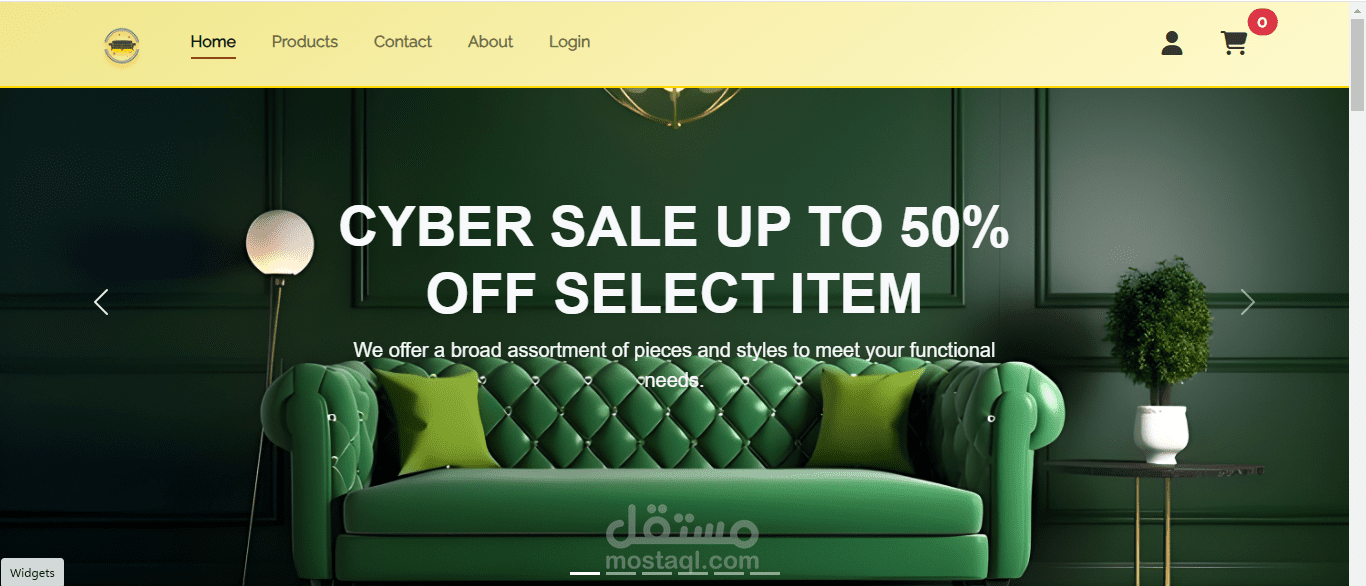

This is a furniture e-commerce web application built using HTML, CSS, JavaScript, and Bootstrap. The system provides distinct interfaces and functionalities for three primary user roles: Customers, Sellers, and Admins. Each user role has unique access privileges to manage and interact with products, orders, and other essential features.
Key Features:
Customer Interface: Browse, search, and purchase furniture products.
Seller Interface: Add and manage furniture listings, view orders, and track sales.
Admin Interface: Manage users, approve or reject seller accounts, and oversee product listings and transactions.
Authentication: Authentication is handled using local Storage for storing and managing user sessions securely.
Features:
Guest Features:
View available furniture products
Search products by category or name
Add items to the shopping cart
Customer Features:
View available furniture products
Search products by category or name
Add items to the shopping cart
Proceed to checkout and complete orders
View order history (stored locally) and manage his personal data
Seller Features:
Has His Own Dashboard
Add furniture listings
View current inventory and sales
View orders placed by customers and statistics
Admin Features:
Has His Own Dashboard
Manage users (Customers, Sellers, and Other Admins)
See Customers Feedbacks
Approve or reject seller product registration requests
Manage product listings across the platform
View system-wide statistics (orders, users, etc.)
has access to all features
Technologies
This project utilizes the following technologies:
HTML: Structure and markup of the website.
CSS: Styling and layout, with Bootstrap used for responsive design.
JavaScript: Client-side logic and interactivity.
local Storage: Used for storing user session data and information locally in the user's browser.
Bootstrap: For responsive and mobile-friendly design.
Authentication with local Storage
Unlike traditional backend authentication services, this project uses local Storage to handle user sessions and authentication. The authentication process involves storing the user’s session data (like login credentials and user role) in the browser's local storage, which can persist even when the user refreshes the page or reopens the app.
Steps to use authentication:
Login: When a user logs in, their role and status are stored in local Storage (e.g., user Role: 'customer' or user Role: 'admin').
Session Persistence: User sessions persist even after page reload, allowing users to stay logged in until they log out or the session expires.
Role-Based Access: Based on the stored role in local Storage, the application shows different content and features for customers, sellers, or admins.