Bash Project
تفاصيل العمل
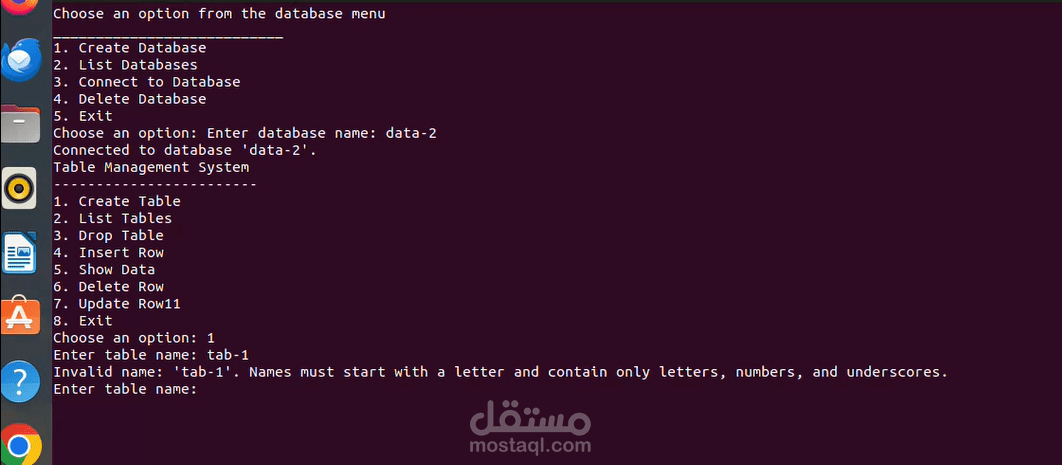
Bash Project This repository contains a Bash Project designed to demonstrate scripting capabilities using the Bash shell. The project provides practical examples and utility scripts that can automate tasks, process data, and showcase core Bash functionality.
Features Shell Scripting: Demonstrates core Bash programming concepts such as loops, conditionals, and functions. Automation: Scripts designed to automate repetitive tasks efficiently. Modular Design: Code is modular and easy to extend. Error Handling: Includes robust error handling to manage invalid inputs and unexpected scenarios. User-Friendly: Provides clear documentation and usage instructions. Requirements Bash Shell: Version 4.0 or higher Linux/Unix Environment (or Windows with a Bash emulator like Git Bash or WSL) Installation Clone the repository:
bash Copy Edit git clone https://github.com/ayaAhm... cd bash-project Make scripts executable:
bash Copy Edit chmod +x *.sh Run the desired script:
bash Copy Edit ./script-name.sh Usage Each script in this project is designed for a specific task. Below is an example of how to use the scripts:
Run a script: bash Copy Edit ./example-script.sh [arguments] Replace [arguments] with the required inputs as specified in the script. For detailed usage instructions, refer to the inline comments in each script.
Contributing Contributions are welcome! To contribute:
Fork the repository. Create a new branch: bash Copy Edit git checkout -b feature-name Make your changes and commit them: bash Copy Edit git commit -m "Add new feature" Push to your branch: bash Copy Edit git push origin feature-name Open a pull request. License This project is licensed under the MIT License.
Contact For questions or suggestions, feel free to contact Aya Ahmed.