Task Manager
تفاصيل العمل
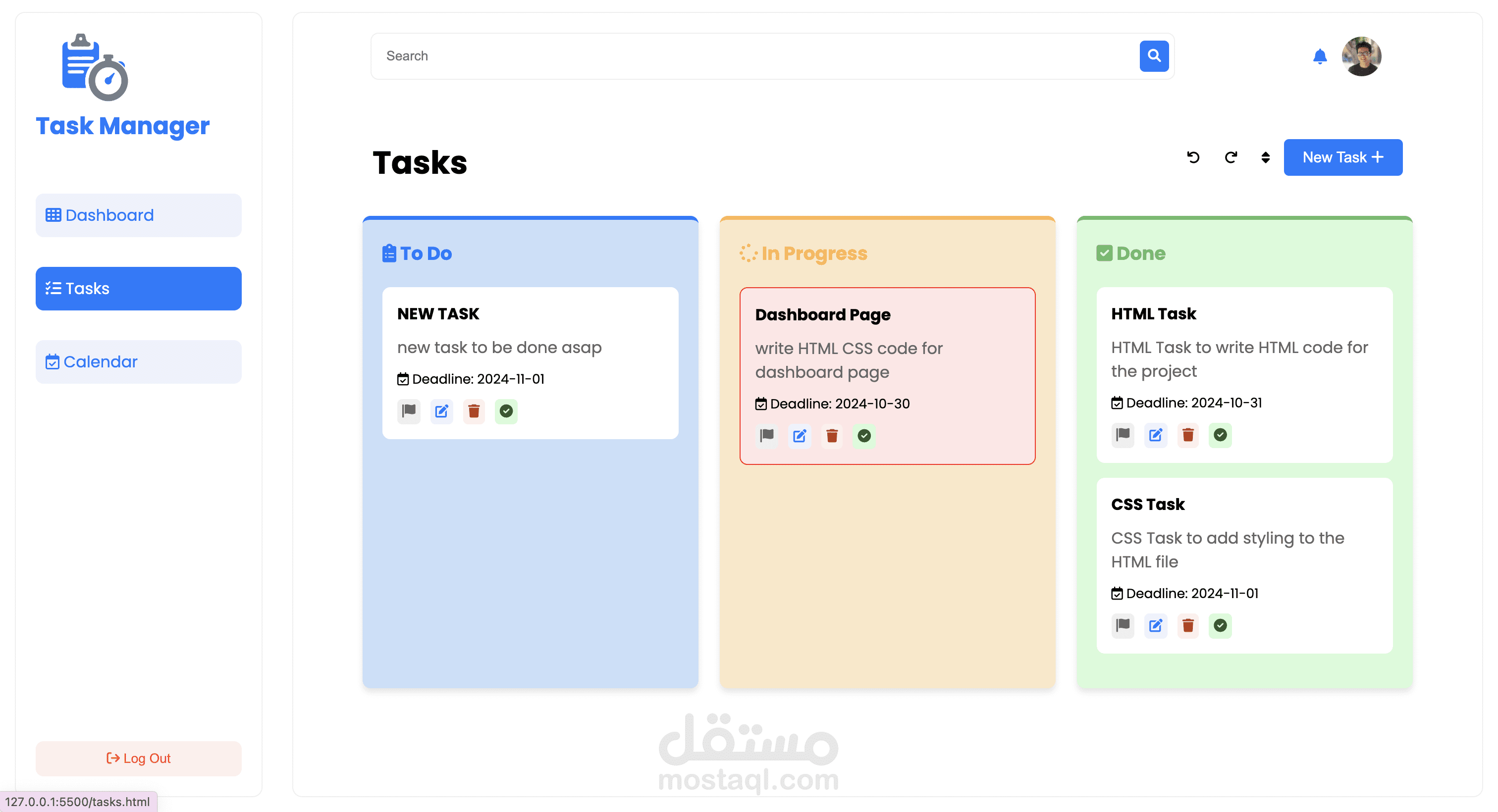
Task Manager Application
This Task Manager is a web-based application designed to help users manage their tasks efficiently. It provides features to create, edit, and delete tasks, organize tasks by their current status (To Do, In Progress, and Done), and search for specific tasks by keywords. The application includes a dashboard-style sidebar for easy navigation, a search bar to find tasks quickly, and modals for adding, editing, and viewing search results.
Key Features
- Task Creation and Management: Add new tasks with details like name, description, and deadline. Edit or delete existing tasks.
- Status Organization: Tasks are categorized into "To Do," "In Progress," and "Done," and can be moved between these statuses.
- Search Functionality: Use the search bar to find tasks by name. Matching tasks are displayed in a modal with easy navigation.
- Local Storage Integration: All tasks are saved in the browser's local storage, ensuring persistence across sessions.
Technologies Used
- HTML, CSS, JavaScript: Core technologies for structure, styling, and interactivity.
- Font Awesome: For clean, modern icons throughout the application.
- Google Fonts (Poppins): For improved typography.
How to Use
- Add Tasks: Click on the "New Task" button to open a modal, fill in the task details, and save.
- Edit Tasks: Click the edit icon next to a task to open the modal with task details prefilled, make changes, and save.
- Search Tasks: Enter a keyword in the search bar and click the search icon. Matching tasks will appear in a modal.
- Task Status Management: Use the task status buttons to move tasks to the appropriate status category.
This project is an ideal tool for those looking to stay organized and manage their daily tasks effectively.