TexasHouse Burger
تفاصيل العمل
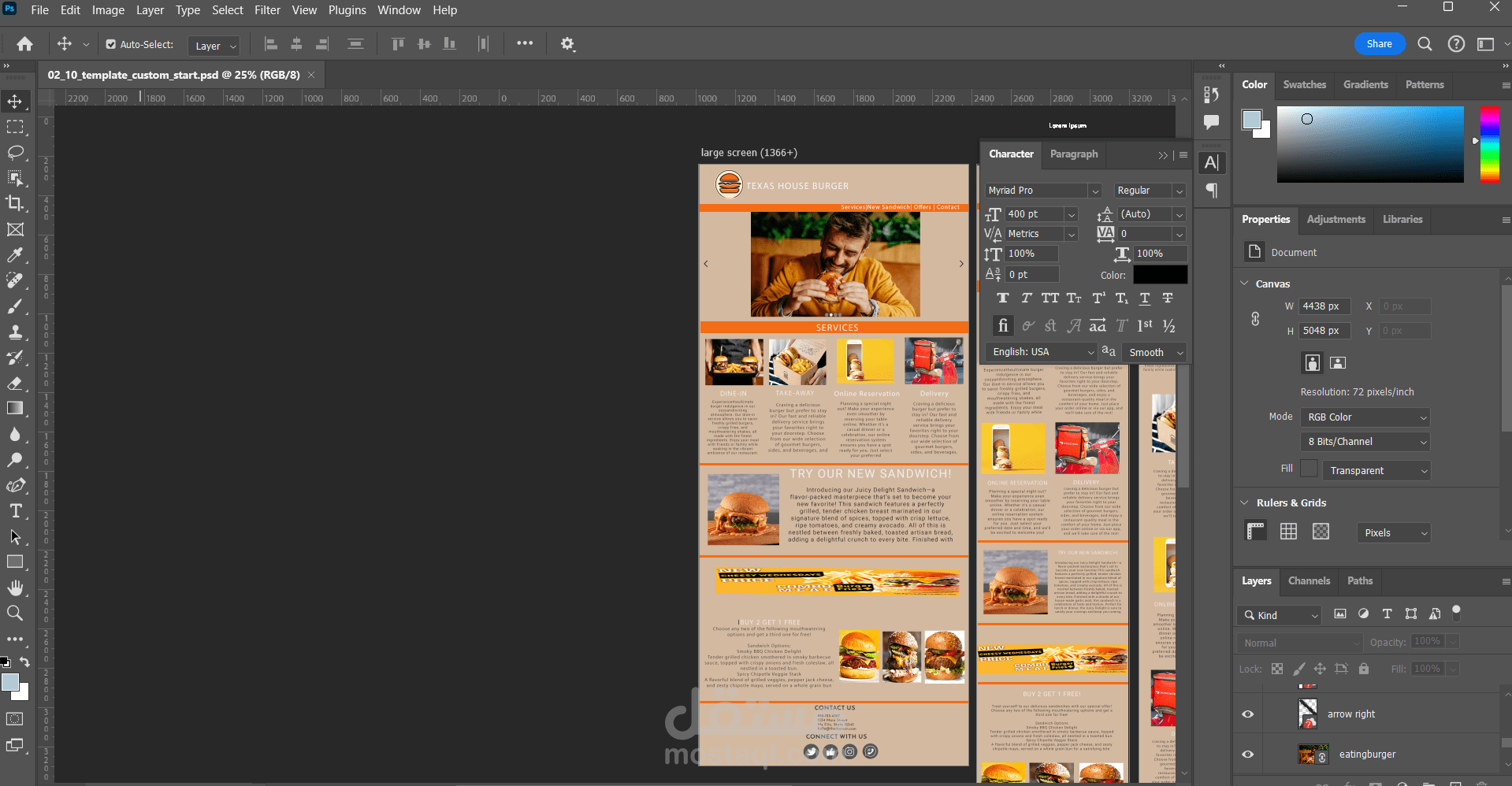
design of a restaurant website layout for "Texas House Burger." The workspace is organized with multiple panels open, indicating active design adjustments. The main canvas features a high-resolution web layout with a structured grid system.
Key Elements in the project:
1. Adobe Photoshop Interface:
The toolbar on the left displays various tools, including the selection tool, brush, and shape tools.
The right-side panels include "Character," "Properties," "Color," and "Layers," showing text adjustments and document properties.
The Canvas panel reveals the document size: 4438px × 5048px at 72 DPI, with an RGB Color mode (8-bit).
The "Character" panel is open, showing text settings:
Font: Myriad Pro (Regular)
Font Size: 40pt
Alignment: Left
2. Website Design Elements:
Header Section: Features the "Texas House Burger" logo, an orange navigation bar with options like "Services | New Sandwich | Offers | Contact", and a hero image of a man eating a burger.
Services Section: Includes four cards labeled:
Dine-In – Information about in-restaurant dining experience.
Take-Away – Describes takeout options.
Online Reservation – Offers booking for tables.
Delivery – Showcases food delivery services.
New Sandwich Promotion: A highlighted section showcasing a "Juicy Delight Sandwich" with a description of its ingredients and flavors.
Promotional Offer: A "BUY 2 GET 1 FREE" deal with images of delicious burgers.
Contact & Social Media Links: At the bottom, there are contact details along with social media icons for Facebook, Instagram, and Twitter.
3. Layers & Editing Workflow:
The Layers Panel at the bottom right shows various labeled layers, such as "arrow right" and "eatingburger," indicating organized elements.
The Color Panel is set to a neutral palette, possibly for editing accents and backgrounds.