shopping cart
تفاصيل العمل
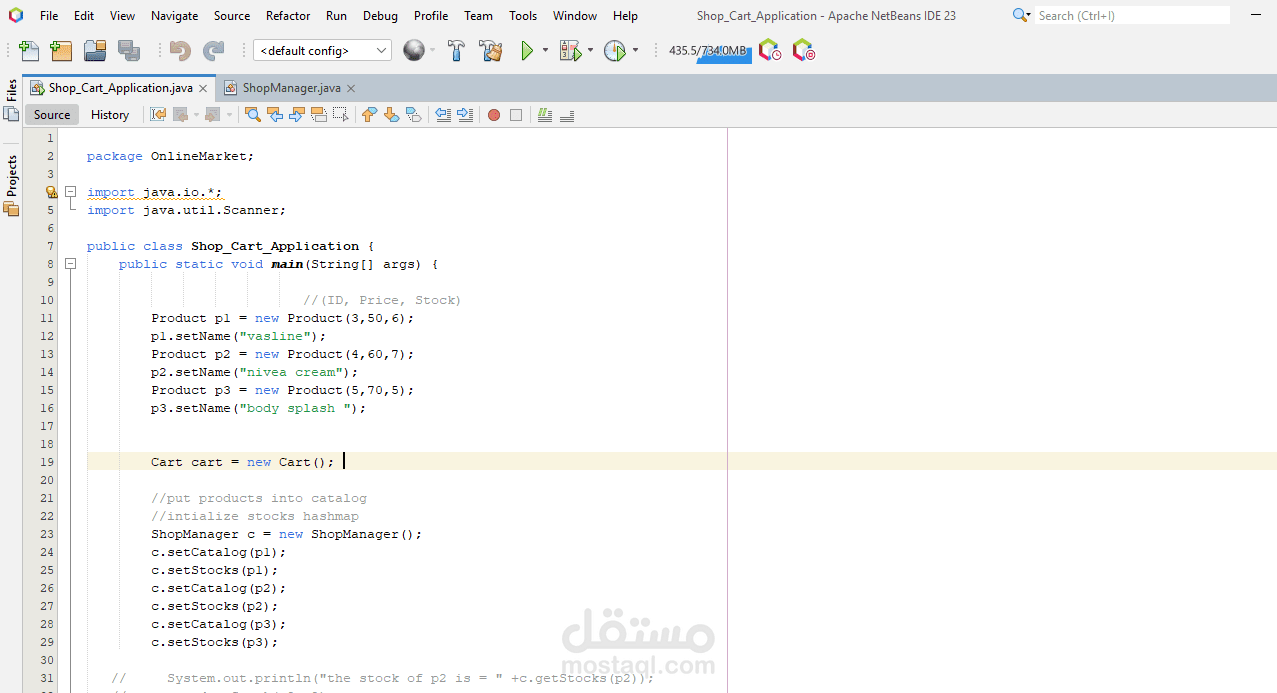
Shop Cart Application
The Shop Cart Application simulates an e-commerce shopping cart. It incorporates all the discussed Java concepts,
allowing users to add products, view the cart, calculate totals, manage inventories, handle exceptions, and save cart data to a file.
Application Features
Product Management:
Maintain a catalog of products with details like name, price, and quantity using collections.
Allow users to search for products.
Shopping Cart Operations:
Add products to the cart.
View cart details and calculate the total price.
Remove items from the cart.
Persistence:
Save cart details to a file.
Read previously saved cart data.
Error Handling:
Handle invalid inputs and file-related errors gracefully.
Architecture:
Two-tier Architecture: Separation between business logic and user interface.
Incorporates OOP principles like encapsulation, inheritance, and polymorphism.
Concept Mapping
FeatureJava Concepts Used
Product catalog and cartCollections (List, Map), Iterators
Add/Remove/View itemsControl flow, methods, loops
Product and Cart classesOOP: Classes, objects, encapsulation
Calculate total priceMethods, data types
Save/Load cartFile handling, exception handling
User inputConsole I/O, string manipulation
Error handlingTry-catch-finally, custom exceptions
Application Design
Classes and Responsibilities
Product:
Represents a product with attributes: id, name, price, and stock.
Includes getter and setter methods.
CartItem:
Represents an item in the cart with attributes: product and quantity.
Cart:
Manages cart items using a List<CartItem>.
Methods: addItem(), removeItem(), calculateTotal().
ShopManager:
Handles product catalog and inventory using Map<Integer, Product>.
Main:
User interface for adding/removing items, viewing the cart, and saving/loading data.
GUI:
1. View Catalog
2. Add to Cart
3. Remove from Cart
4. View Cart
5. Save Cart to File
6. Load Cart from File
7. Exit
Choose an option: