حل وشرح مثال
تفاصيل العمل
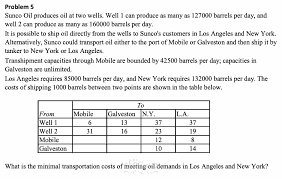
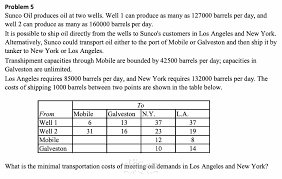
It seems like you're asking for assistance with a specific example related to determining the next release of a software product using OpenSolver, which is a tool for solving optimization problems in Excel. Unfortunately, I don't have the ability to directly interact with software or perform specific computations. However, I can guide you through the general process of using OpenSolver:
Install OpenSolver: Make sure you have OpenSolver installed in your Excel. If you haven't already, you can download and install it from the OpenSolver website.
Set Up the Excel Sheet:
In Excel, create a table that includes the relevant data for your software product release decision problem. This may include factors like features, release dates, resource availability, etc.
Define the Objective and Constraints:
Determine what you want to optimize (e.g., maximize profit, minimize cost, etc.).
Identify any constraints that must be satisfied (e.g., resource limitations, time constraints, etc.).
Set Up the Solver:
Open the Excel file.
Go to the 'Data' tab in Excel and you should see the 'Solver' option if OpenSolver is installed correctly.
Configure Solver Parameters:
Click on 'Solver' and a dialog box will open.
Set the objective function to maximize or minimize, and specify the cell containing the objective function.
Set the variable cells that you want to change (e.g., which features to include in the next release).
Add any constraints.
Solving the Problem:
Click on 'Solve' in the Solver dialog box. OpenSolver will use optimization algorithms to find the best solution.
Regarding the example in Table, you would need to input the data into Excel, define your objective function and constraints, and then use OpenSolver to find the optimal solution. The specifics will depend on the details of your example.
If you have a specific problem or data set in mind, you'll need to input that information into Excel first before using OpenSolver. If you encounter any specific issues during this process, feel free to ask for further assistance!