DBMS-Bash-Simulator
تفاصيل العمل
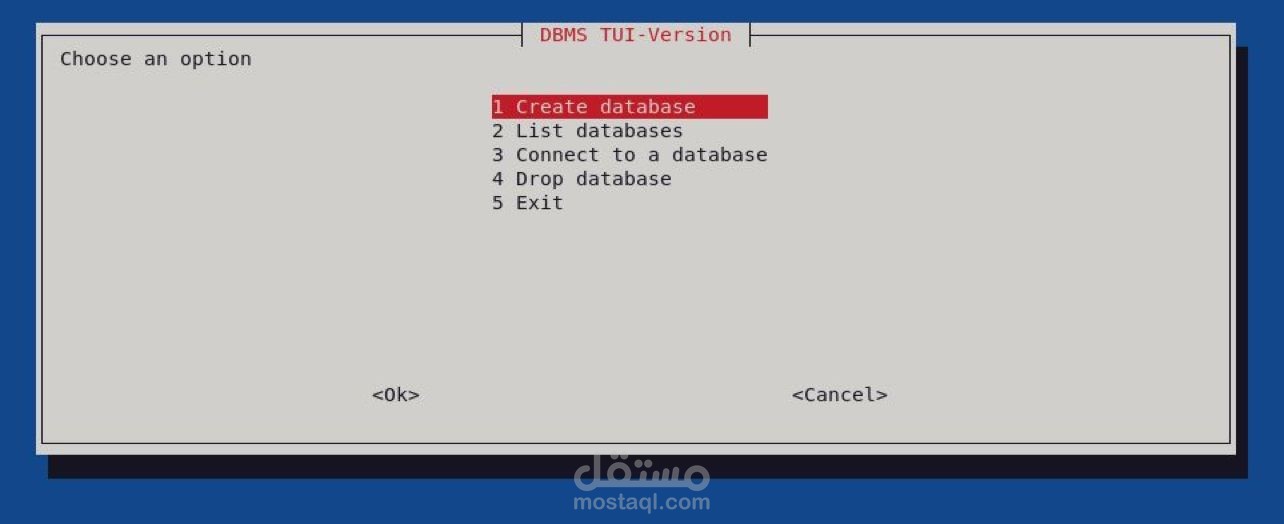
This is a simple project that simulates a Database Management System using Bash scripting.
It provides a basic set of functionalities that simulates a Data Base Management System
using simple text files.
Features
Once you run the script, the main menu will be propted. The main menu has the following options:
- Create a database
- List databases
- Connect to a database
- Drop database
Upon user connection to a specific database, connection menu will be prompted to the user containing:
- Create table
- List tables
- Drop table
- Insert into table
- Update table
- Select From table
- Delete From table
Installation
- Clone the repository: git clone https://github.com/Ahmads...
- Change to the project directory: cd DBMS-Bash-Simulator
- Change the files permission so that they are executable: chmod +x init.sh tui.sh
- Run the init.sh file for the cli program: ./init.sh
- Run the tui.sh file for the tui program: ./tui.sh